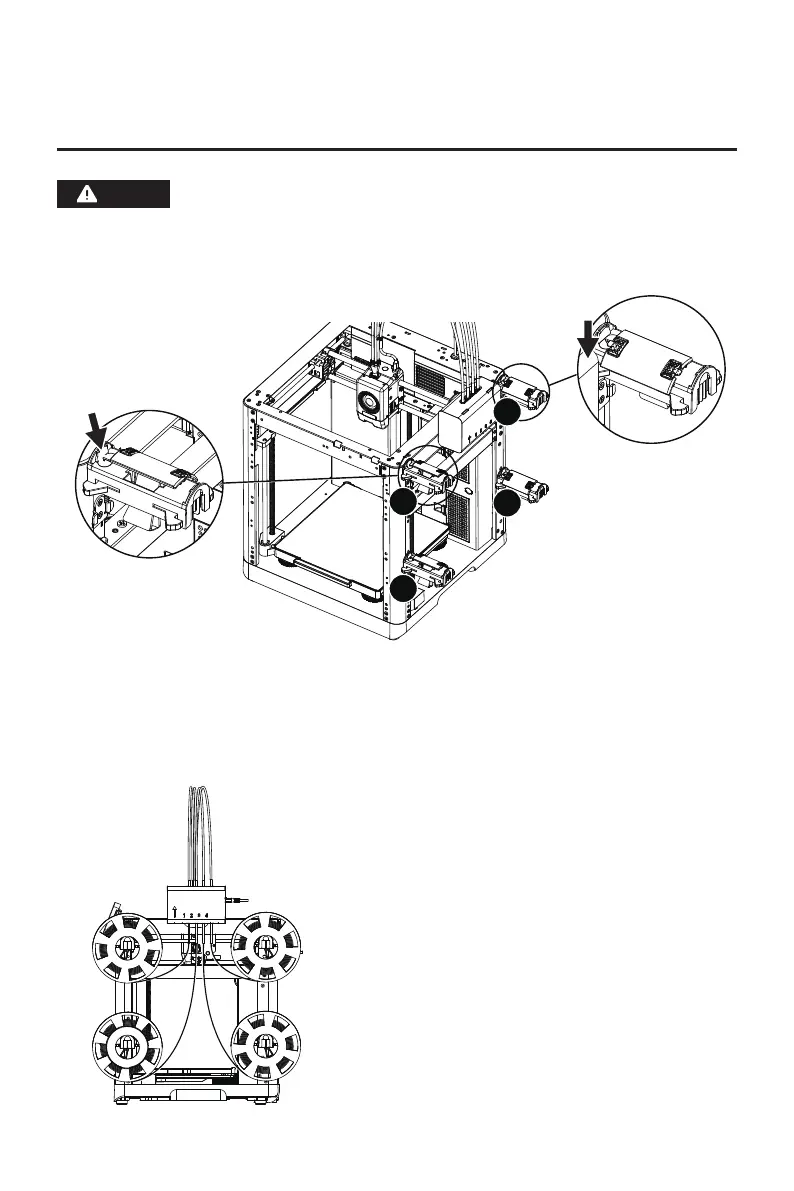
1. Load filaments following the direction shown below.
When loading filaments, insert the four filaments into the 1/2/3/4 inlets, respectively. Thread
them through the feed roller, and the device will detect the filaments and automatically feed
them into the guide tubes one by one. Once all filaments have reached the tube inlet, the feeding
process is completed. With IFS, you can start printing immediately after completing this loading
process.
11
3. Load and Configure Filaments for IFS
Please use the dedicated filament spool holders with the IFS module. These
holders feature a reverse rewinding mechanism to prevent tangling. Please
make sure the installed spool holder number, the installation position number,
and the configured IFS channel number are consistent. Install as shown below.
Note
Please keep the number
label facing inward.
Snap the spool holder downward
into the clip's slot.
2
1
3
4















 To Next Page