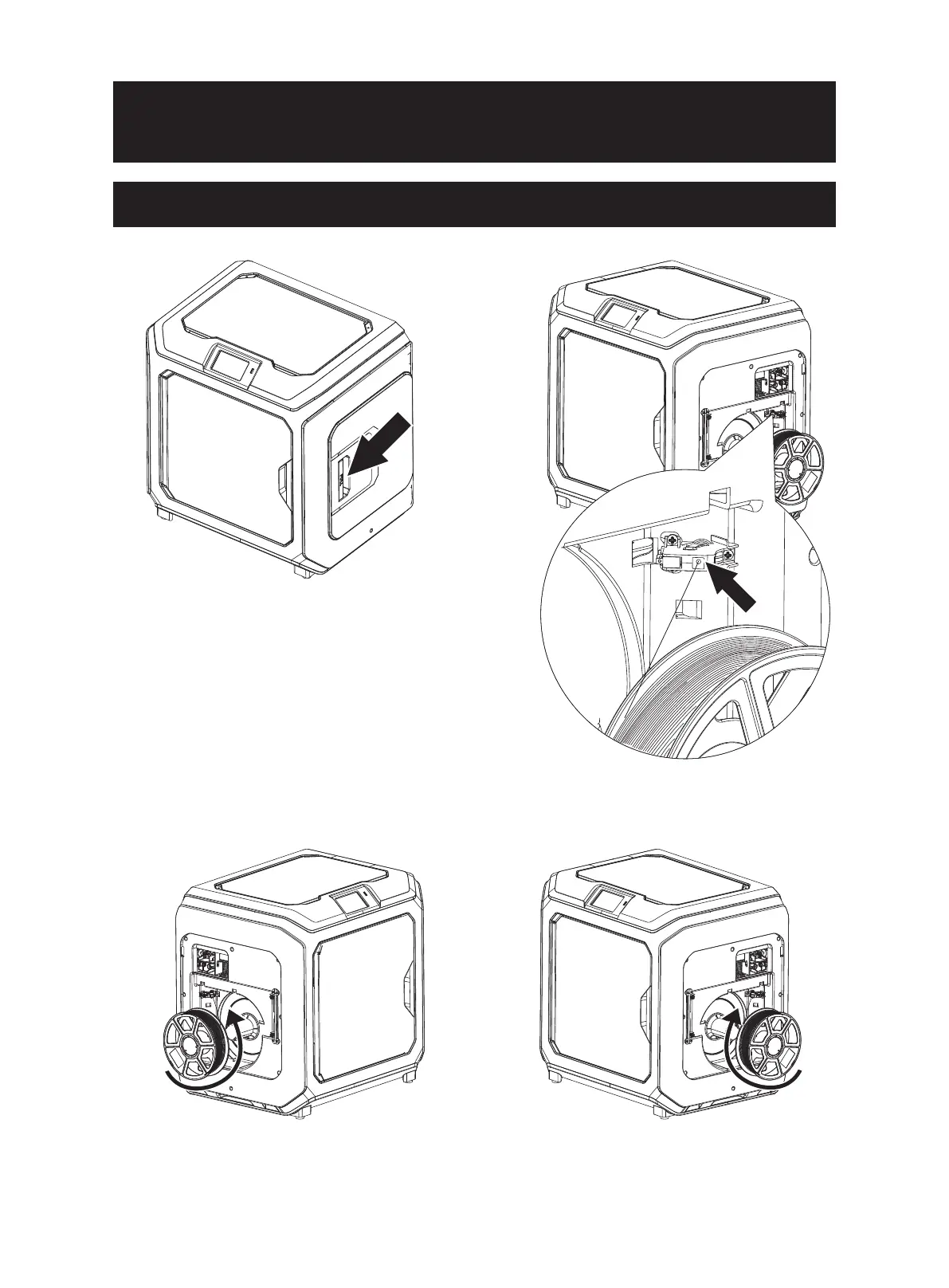
1. Open the filament holder cover.
2. Take out the filament and insert it into the
filament feeding inlet.
Filament
intake
3. Attention: To facilitate smooth rotation of the filament, please install the filament in the direction shown in the figure.
When installing the left-side filament, please make it run in the counterclockwise direction;
When installing the right-side filament, please make it run in the clockwise direction.
09















 To Next Page