Finder2.0 User Guide |
www.flashforge.com
7.2.5 Print from Polar Cloud connection
1
)
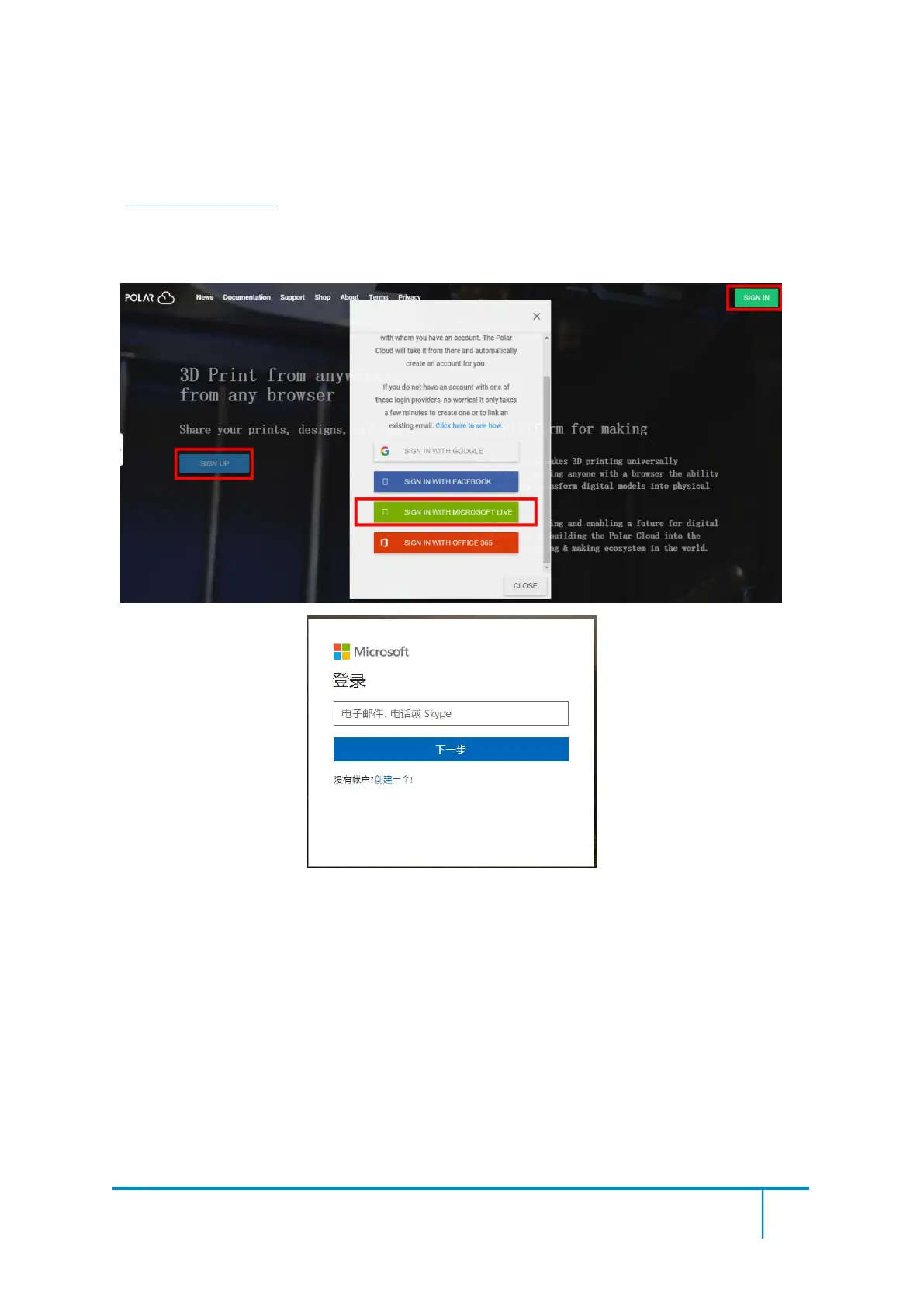
Register a Polar Cloud account with your computer, on website:
https://polar3d.com/
Register your account using one of the four following options, take the third microsoft live
option as an example, create your new Polar Cloud account.
2
)
Enter the Polar Cloud homepage after you create your Polar Cloud account. Tap the red
icon(on the right upper corner showed in the picture below), then Tap [settings], drag down the
page to bottom, copy down your Email address and your PIN Code.















 To Next Page