Finder2.0 User Guide |
www.flashforge.com
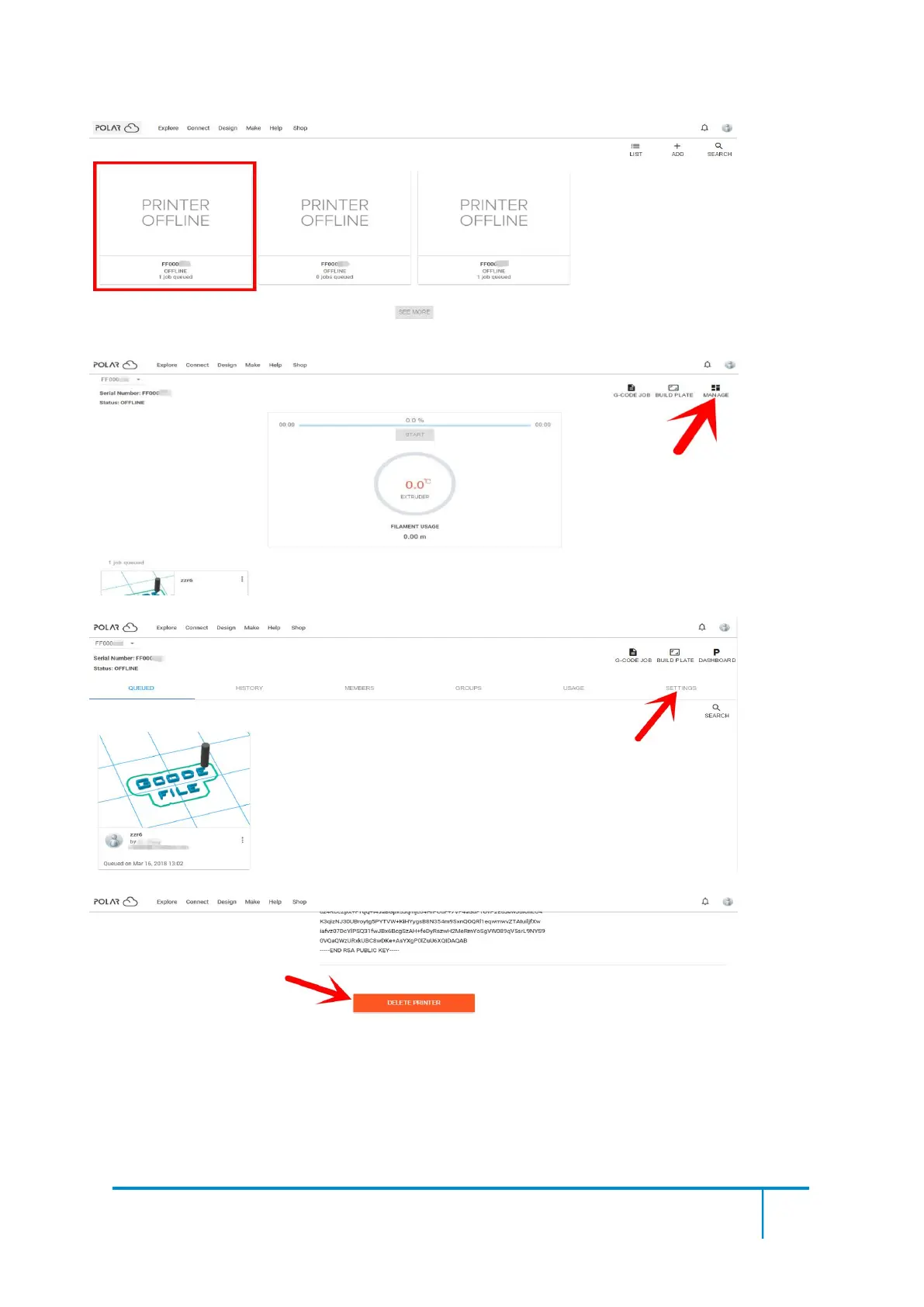
Click the printer you want to delete.
Click [MANAGE] button on the right upper position of this printer’s details webpage.
Then click [SETTINGS] button on the right upper position of the next webpage.
Finally, drag the next page to bottom down, click [DELETE PRINTER] button.
After you’v completed the above delete steps, this printer can now be used by others under his
own polar cloud account.















 To Next Page