EasyManua.ls Logo

Flashforge Finder - Printing Configuration

Flashforge Finder
88 pages
Print Icon
To Next Page IconTo Next Page
To Previous Page IconTo Previous Page
Loading...
Finder User Guide | www.ff3dp.com
43
Clear Supports
Click [Clear Supports], all supports will be deleted. The operation can be repealed
via clicking [Undo] or pressing the shortcut key Ctrl+Z.
Delete Supports
Supports will be deleted once clicking the [Delete] button. Move the cursor to the
supports needed deleting, current supports and its child node support will be
highlighted, click the left mouse button to delete these highlighted support.
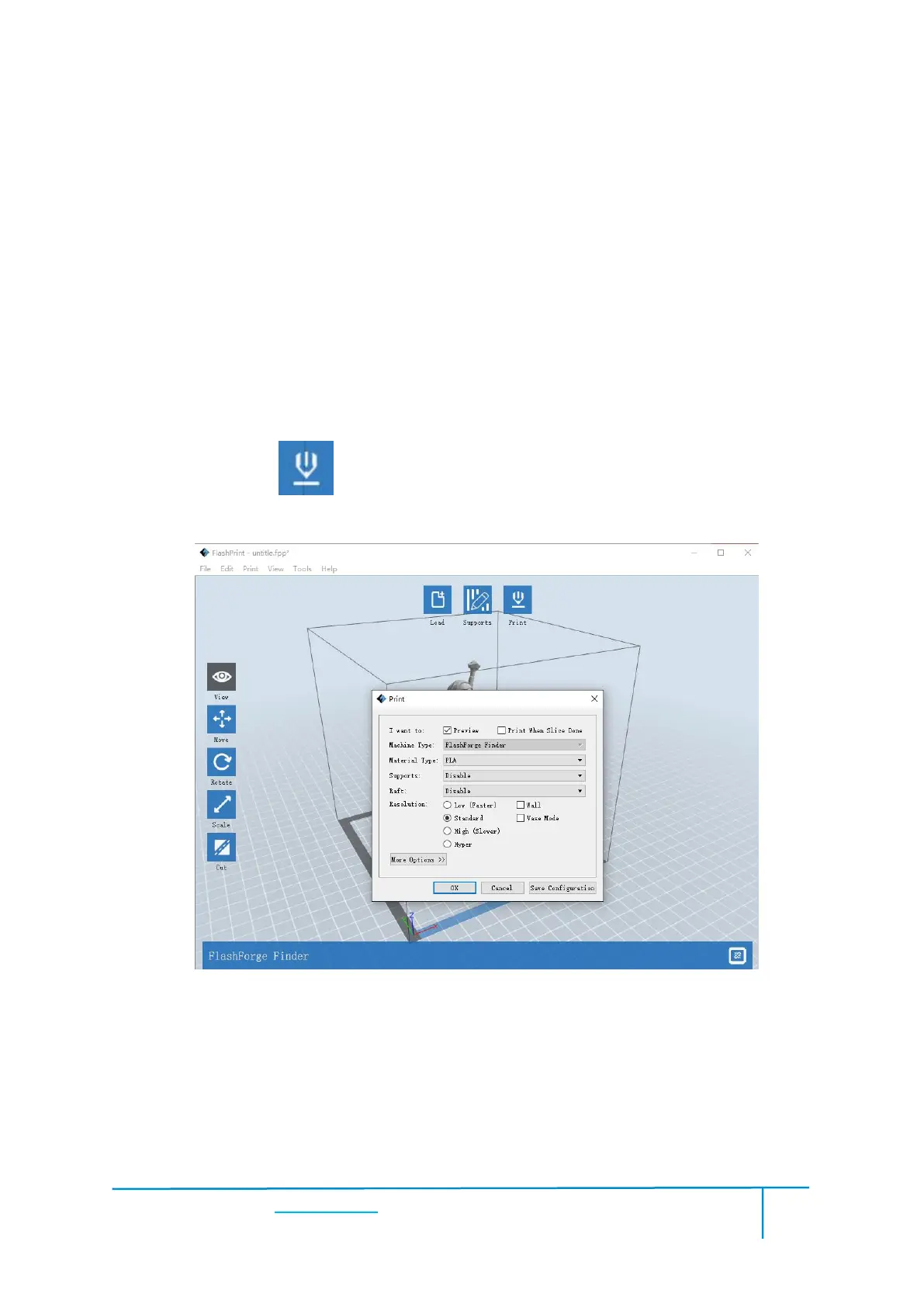
5.1.10 Print
Preview: Choose to enter preview interface or not
Print when slice done: Print or not when slice done
Material type: Choose according to the type of model

Other manuals for Flashforge Finder

Related product manuals