Finder User Guide | www.ff3dp.com
Method 2: Connect Via WIFI
①Connect Finder with your PC under AP mode
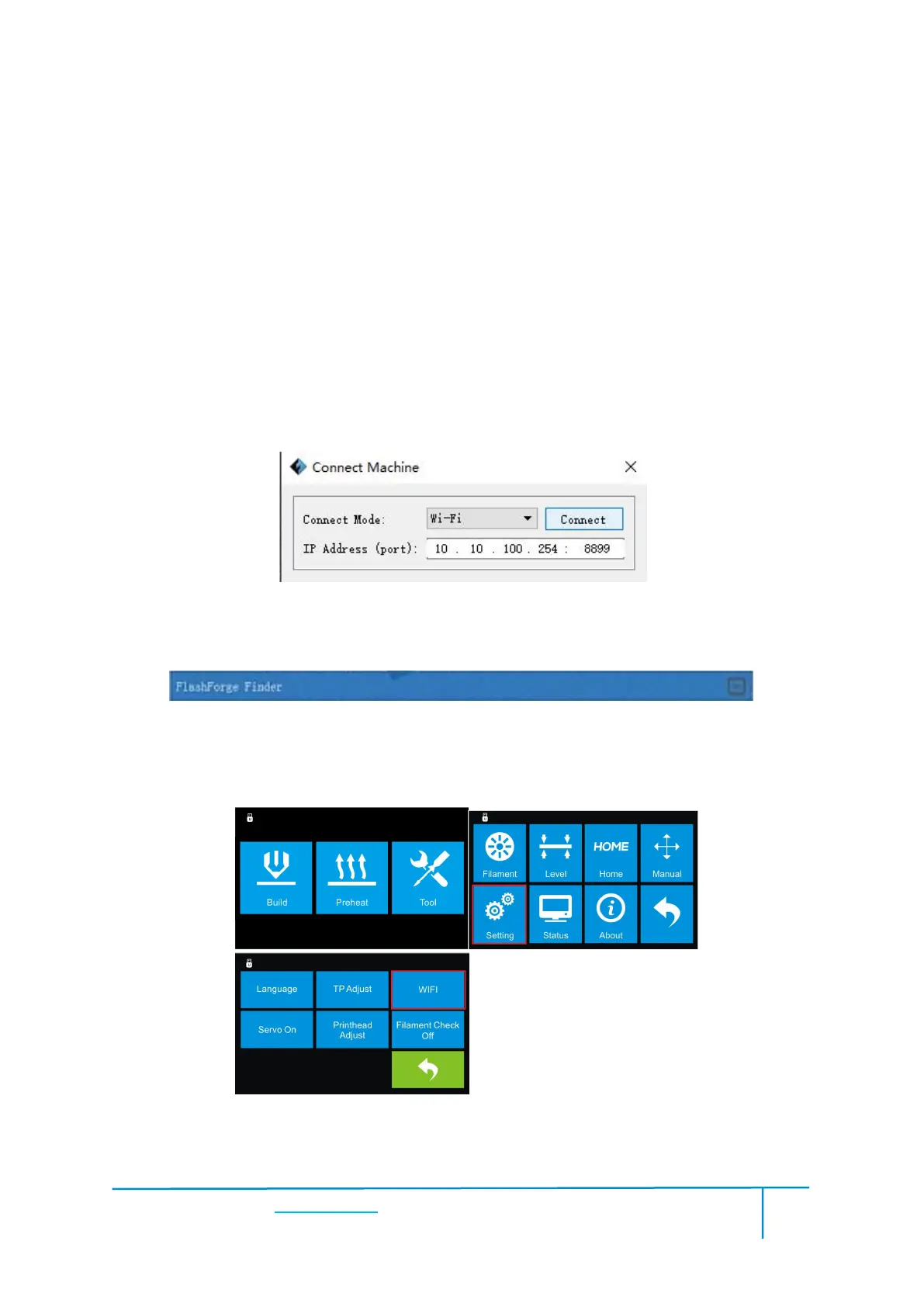
b.Tap [Tools]-[Setting]-[WIFI]-[WIFI ON]
c. Click on the wireless network on the left bottom, and find the wireless signal
called “Finder”. Click [Connect] to finish network connection.
d. Click[Print]-[Connect Machine] on Flashprint. Then the following dialog
box pops up. You need to select “Wi-Fi” in Connect Mode. Enter the IP Address
shown on the interface in and then click [Connect].
e If successfully connected, you will see the following red mark.
②Connect Finder with your PC under STA mode
a. Turn on the WIFI of Finder and connect your PC with Finder via the WIFI.
b.“Finder” continuous signal will be found available on the network list.















 To Next Page