Finder User Guide | www.ff3dp.com
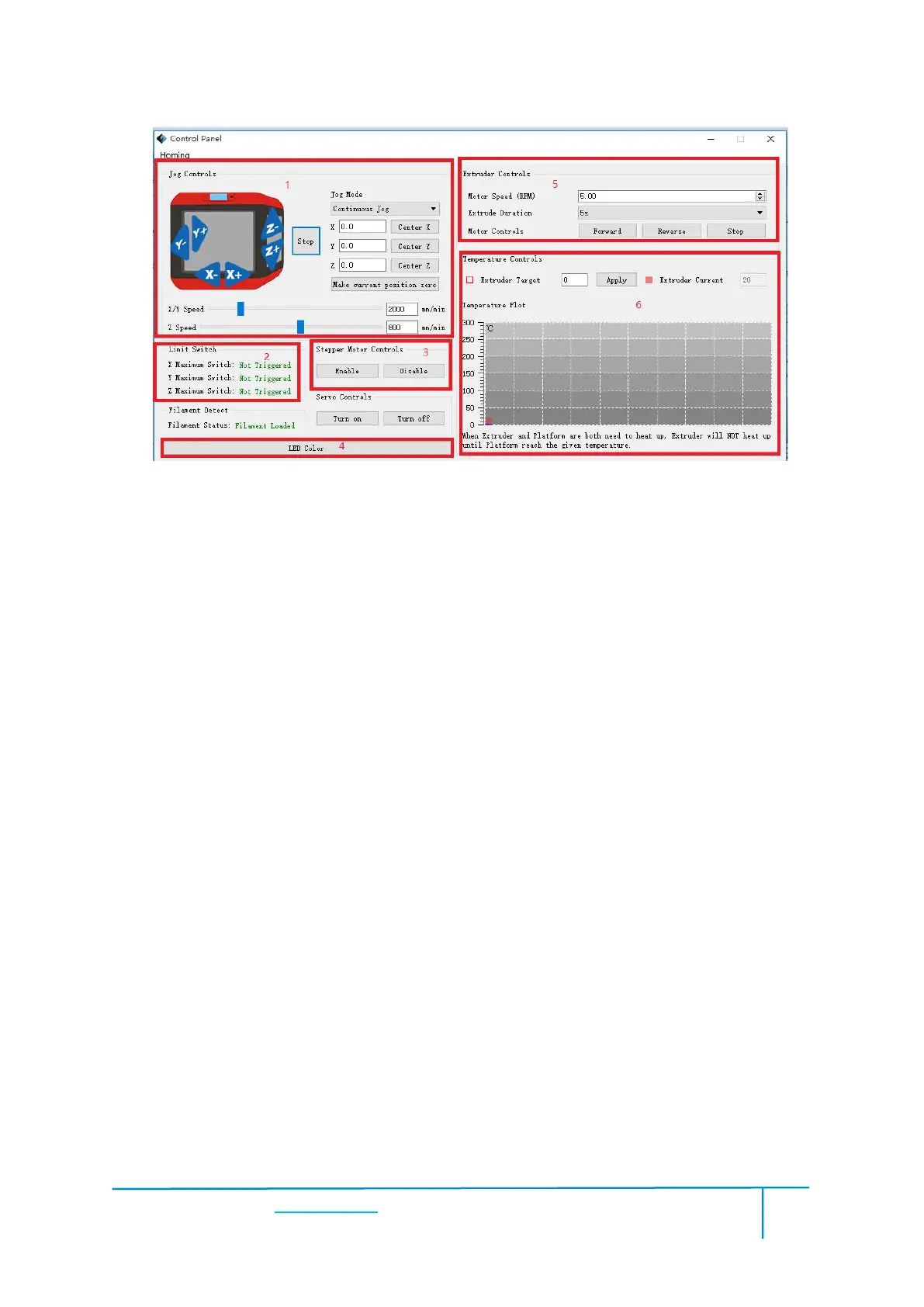
a. Jog Mode:Select the distance that extruder/build plate move a single time (that is,
the distance extruder/build plate move upon your single click).
b. Six blue arrow direction button: Control the move along X/Y/Z axis. X/Y axis
button control extruder move, Z axis button control build plate move. Click X-,
extruder will move leftward a specified distance; Click X+, extruder will move a
specified distance rightward. Click Y-, extruder will move forward a specified
distance; Click Y-, extruder will move backward a specified distance. Click Z-, build
plate will move upward a specified distance; Click Z-, build plate will move
downward a specified distance. (Specified distance refers to the move distance you set
c. Stop: Click the [stop] button to abort the current movement.d. XYZ coordinate
frame on the right side: Show the current position of extruder/build plate.
e. Make Current Position Zero button: Set the current position of the
extruder/build plate as (0, 0, 0). (NOTE: X, Y, and Z boxes are for display purposes.
Changing the value in the boxes will not affect anything.
f. Center X/Y/Z button: Extruder and build platform will back to the zero (0, 0, 0)















 To Next Page