5. Equipment Operation
Interface Introduction
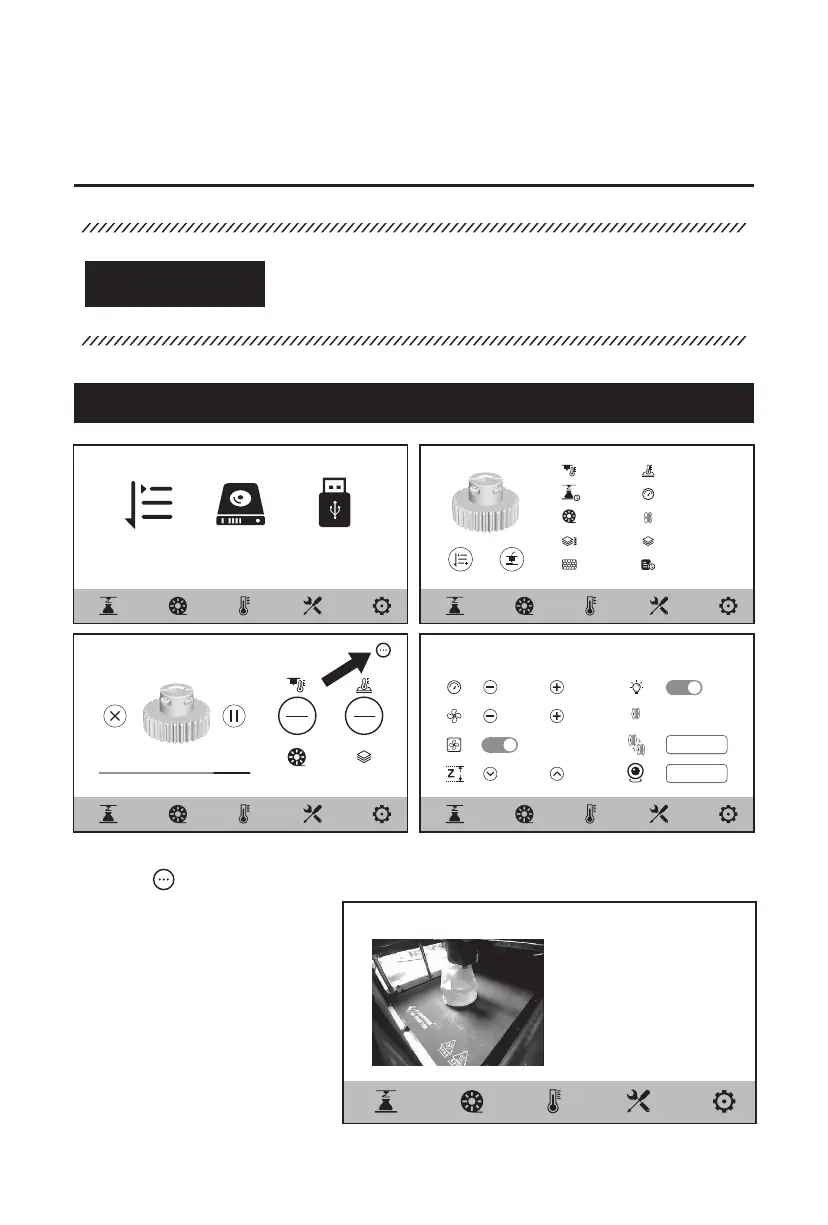
5.1 Printing Screen
Some parameters can be adjusted during printing.
Click the [ ] icon to control the printing speed, fan and light.
After turning on the camera,
users can also directly view
the print status on the screen
and store the images.
As the firmware will be upgraded from time to time, please
refer to the actual display screens. The following is only a
brief introduction of functions.
ATTENTION
Print Queue
256M 135M/8G 798M/16G
Local File Print via USB
220℃
220℃
220℃
PLA
79%
Testmodel
Printing <
< Real-time Preview
Status:
Browsing...
Remaining Time: 35m
1185/1500
100%
70%
20m
0.05mm
Filament Change
Real-time Preview
2h 35m
PLA
0.18mm
20%
45℃
60%
15m/300g
1500
2021/11/09
45℃
45℃
15















 To Next Page