Heating
Heating
Level and
Calibration
Home Manual Internet Cloud
Camera About Status Maintenance Upgrade
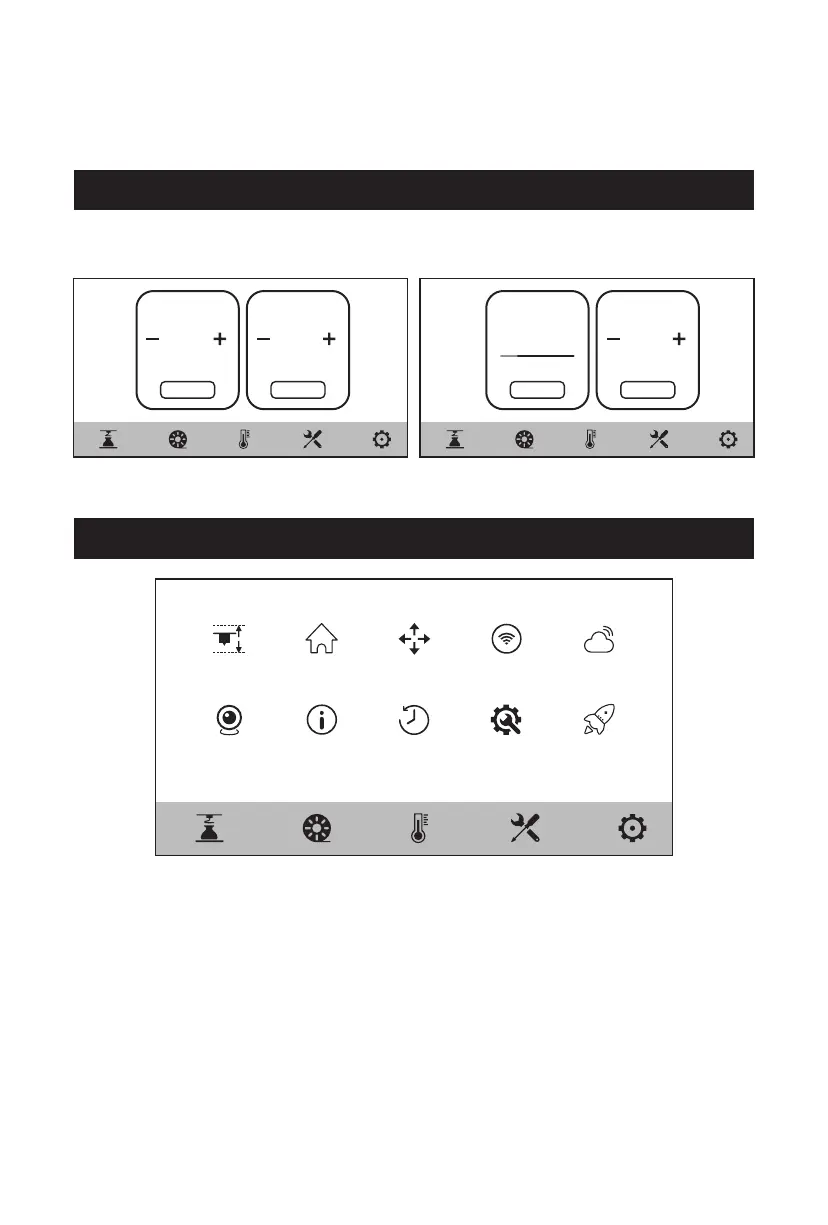
The temperature of the extruder and platform can be set in advance as required on the
preheating screen.
5.3 Preheating Screen
220℃
Extruder Platform
45℃
Cancel
Heating
45℃/220℃
Extruder Platform
45℃
[Level and Calibration] Auto Level, Z Calibration
[Home]
[Manual]
[Internet]
[Cloud]
[Camera]
[About]
[Status]
[Maintenance]
[Upgrade]
Here you can make each axis of the equipment return to the zero position.
Here you can manually move the X, Y, Z-axis of the equipment.
Here you can connect to the wireless network, wired network and hot spot.
Here you can connect to the FlashCloud or Polar Cloud.
Here you can turn on the camera and view the real-time video.
Here displays the basic information about the equipment.
Here displays the running status of the equipment.
Here lists some maintenance items for users to check if users encounter
any problems.
Here is for the firmware upgrade. Users can upgrade to the latest firmware
of the equipment when connecting to wireless network.
5.4 Tools Screen
17















 To Next Page