GuiderⅡ User Guide | www.flashforge.com
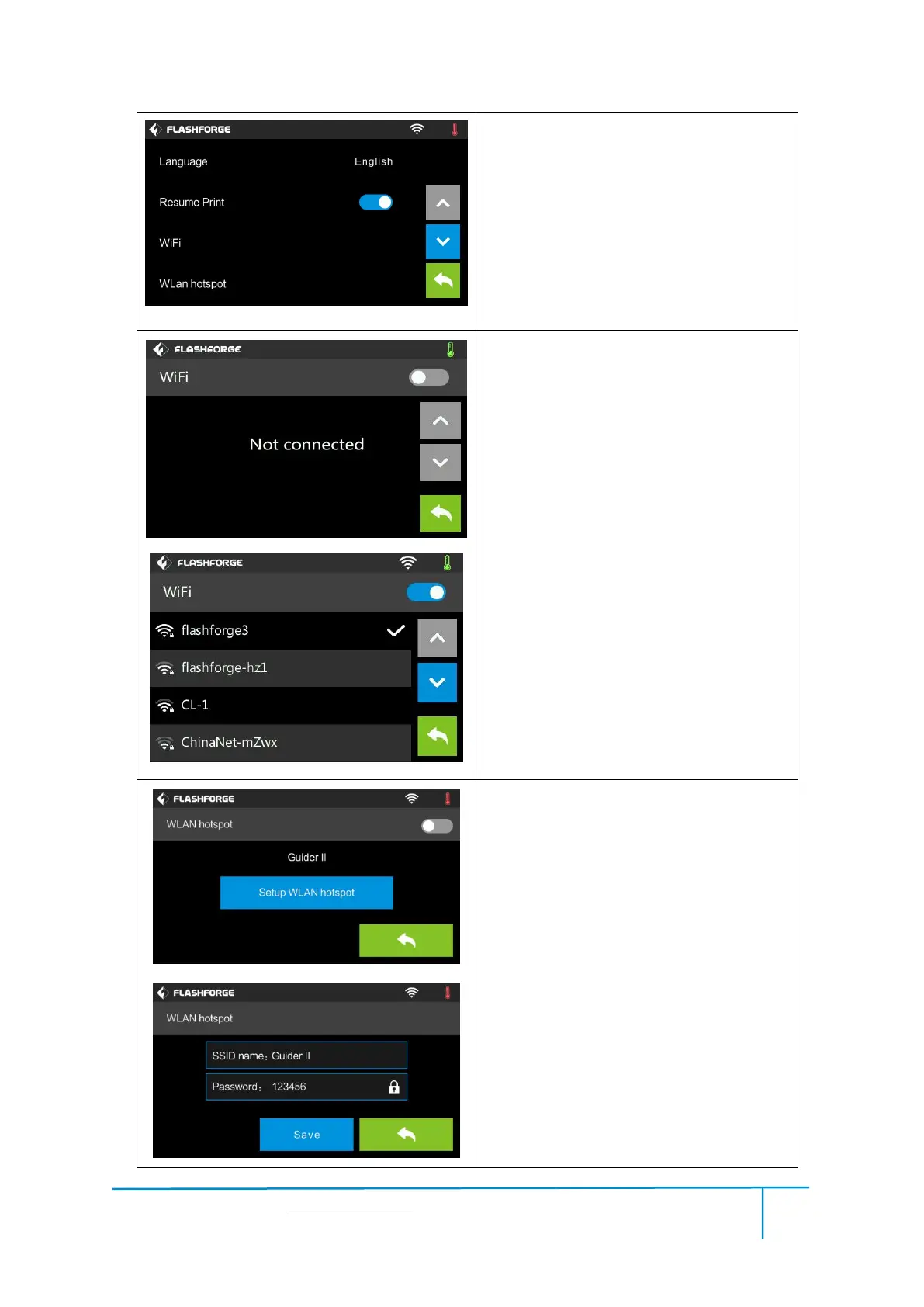
Turn on [Resume Print]
Left picture showed is the [Resume Print]
turned on status. If the printer is turned off
when current print job has not finished yet,
printer will continue and resume previous
printing job after restarted.
(Note: If [Resume Pr int] is turned off, this
function will not apply. )
WiFi:
Turn on WiFi: Turn on the WiFi, release
the WiFi hotspot and set the WiFi on
computer
Back
WLan hotspot
OFF/On: To turn on/off the Wlan hotspot.
Setup Wlan hotspot: To set the SSID and
password.
SSID: The name of hotspot.
Password: The password of hotspot.
Save: To save the setting.
Back















 To Next Page