GuiderⅡ User Guide | www.flashforge.com
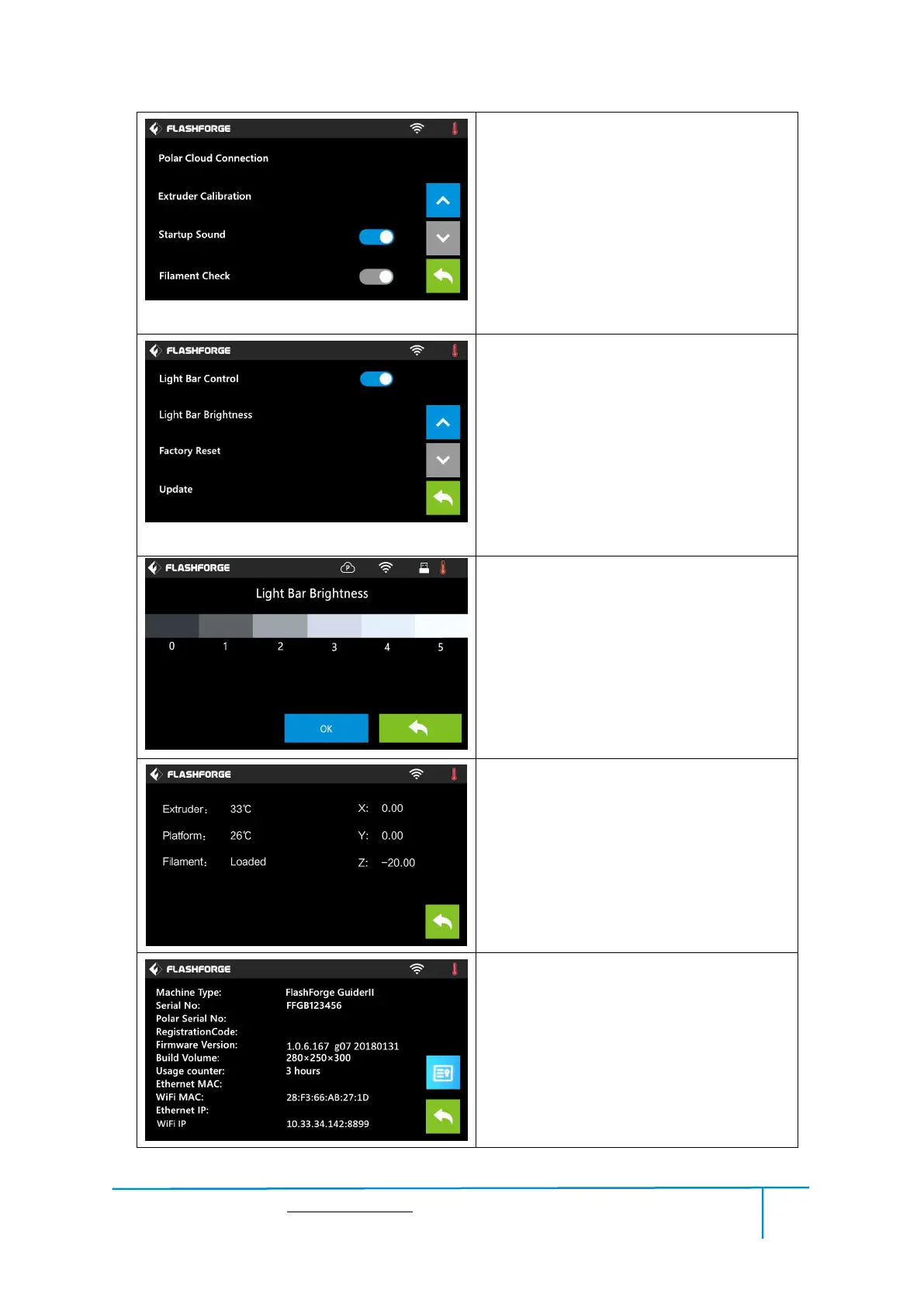
Turn off [Filament Check]:
Left picture showed is the [Filament
Check] turned off status.
Filament abnormal status won’t be detected
when filament is used up or suspended.
Turn on/off [Startup Sound]:
Tap to turn on/off the sound when restart
the printer.
Light Bar Control: To turn on/off the
light bar control.
Light Bar Brightness: To click and select
different light bar brightness.
Factory Reset: Return to factory setting
Update: To update the firmware version.
Back
Light Bar Brightness: To click and select
different light bar brightness.
Status:
It displays the real-time status of the
extruder temperature and other details.
About:
It displays the basic information about the
device.















 To Next Page