Operating the Machine
50
04/03/2020 218333
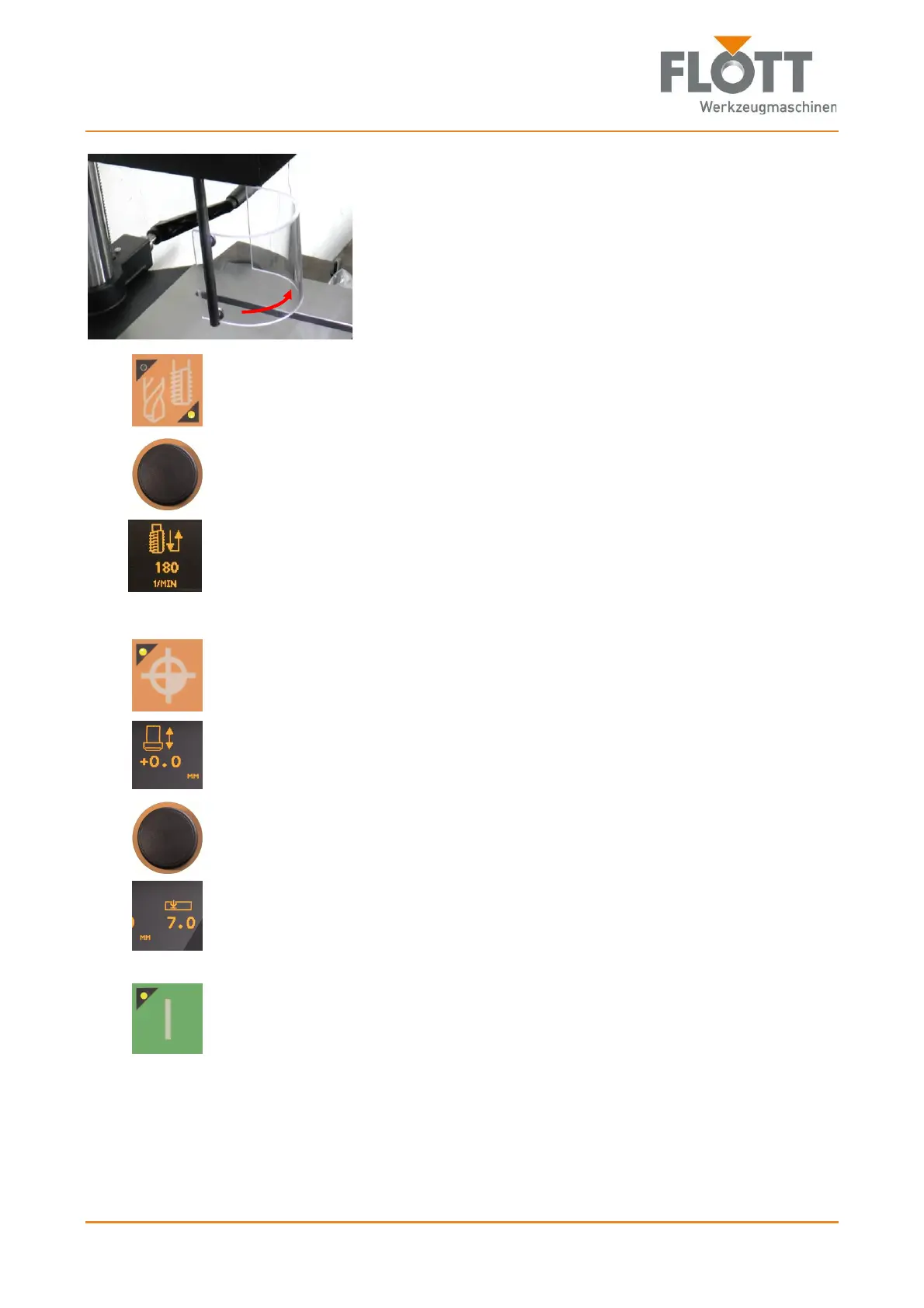
4. Before starting the machine, swivel the drill guard into its
protection position in front of the cutter.
This will activate the protective switch, which releases the
operation of the machine.
5. If necessary:
Press the push-button to select the drilling type Tapping.
The lower right lamp lights when the Tapping mode is selected.
6. Select the appropriate speed for the inserted tap and workpiece by press-
ing the rotary switch/push-button
Set the speed (rpm) by turning slowly and
Apply the speed in the control system by pressing.
The set speed is shown in the display (N
max
= 800 rpm).
7. Use the drill lever to slowly more the tap tip to the workpiece surface while
pressing down on the drill lever.
8. Press the push-button to transfer the zero point to the control system.
The lamp lights up when the zero point is stored in the control system.
The set zero point is shown in the display.
9. Set the required tapping depth by pressing the rotary switch/push-button
Set the tapping depth (mm) by turning slowly
or
move the drill lever to the desired tapping depth and
Push to apply the tapping depth in the control system.
The set tapping depth is shown on the display.
10. Press the push-button to start the machine.
The lamp lights when the drive is turned on and the spindle is rotated.



 To Next Page