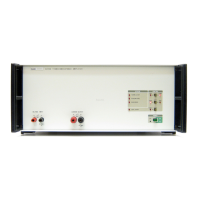
52120A
Users Manual
1-6
Protective Earth (Grounding)
Protection Class 1 – Always operate the Product with an earth/ground connection to the
earth ground conductor of the ac supply cable. The earth/ground connects before the ac
line and neutral connections when the supply plug is put into the mains socket of the
Product. If the last mains connection is made elsewhere, make sure the earth/ground
connection is made before ac line and neutral.
Connect an applicable earth/ground to the auxiliary protective terminal on the rear panel
if:
• it is possible the earth/ground connection will not connect before the ac line and
neutral connections.
• the output terminals are connected to a potentially hazardous live circuit.
Instruction Manuals
The 52120A Manual set supplies complete information for operators. The set includes:
• 52120A Users Manual on the included CD-ROM (PN 3977736)
• 52120A Getting Started Manual (PN 3977724)
One of each manual shown above is shipped with the instrument. You can order more
copies of the manuals from Fluke. To learn more on how to place an order, refer to the
How to Contact Fluke section.
52120A Getting Started Manual
This 52120A Getting Started Manual contains a brief introduction to the Product. The
Getting Started topics are:
• Safety Information
• Instruction manuals and their content
• How to unpack and examine the Product
• How to connect the Product to mains power
• Front and rear panel familiarization
• Maintenance
• General Specifications
52120A Users Manual
The 52120A Users Manual contains data on how to install the Product and operate it
from the front panel keys and in remote configurations. This manual also contains
Product specifications and error codes. The Users Manual topics are:
• Installation
• Operating controls and features, including front panel controls
• Remote operation
• Operator maintenance
• Calibration
• Accessories



 To Next Page