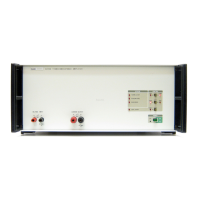
52120A
Operators Manual
2-10
Voltage Compliance Indictors
There are two indicators to show the voltage compliance of the Product. The Compliance
Voltage Level indicator shows the voltage across the load. The load voltage across the
load is in proportion to the current supplied load by the Product. When the voltage on the
output terminals of the Product is equal to or more than the specified maximum voltage,
the over compliance indicator illuminates red. The Product goes to the standby mode
when an over compliance occurs.
Three Red LEDs Together or Product Self-Shutdown
There is an unspecified error when the Over Compliance, Over Temperature, and Input
Over range indicators show red at the same time. This can be caused by over temperature
or over current in the power supply in the Product. If this condition occurs or the Product
turns off unexpectedly, push the rear-panel mains power switch to OFF. Keep the Product
turned off for a minimum of 10 minutes. Make sure the ambient temperature is less than
35 °C. Make sure the air inlets and outlets are clear. If necessary, refer to Chapter 4 to
clean the air filter. If none of these procedures clear the condition, get in touch with a
Fluke Service center representative.
How to Use the Product
One amplifier can source a single-phase ac current waveform to a maximum of 120 amps
or 100 amps dc current. The Product can be set to sense a voltage (transconductance
amplifier) or current (gain amplifier) on the input and output a current in proportion to
the input signal.
Current Amplifier Operation
When you set the Product to current input, a precision resistor is connected across the
input terminals. A voltage in proportion to the input current is sensed across the resistor.
If an input overload condition is sensed, the Product changes to standby (STBY) mode.
The Product will also change to voltage input as protection for the precision resistor. The
current source that supplies the Product input can output more than the voltage
compliance limit and turn off. It will be necessary to set the input back to current to
operate the Product as a current amplifier.
W Caution
To prevent damage to the Product or voltage source, do not put
a voltage between the HI and LO terminals when the input is set
to current.
Stand-alone Operation
One example of how to use the Product is to supply a current to verify the performance of
a clamp meter. To setup the Product for this performance test:
1. Connect the output of a voltage source, a Fluke 5520A in our example, to the input of
the Product. See Figure 2-4.



 To Next Page