7102
User’s Guide
10
Back Panel
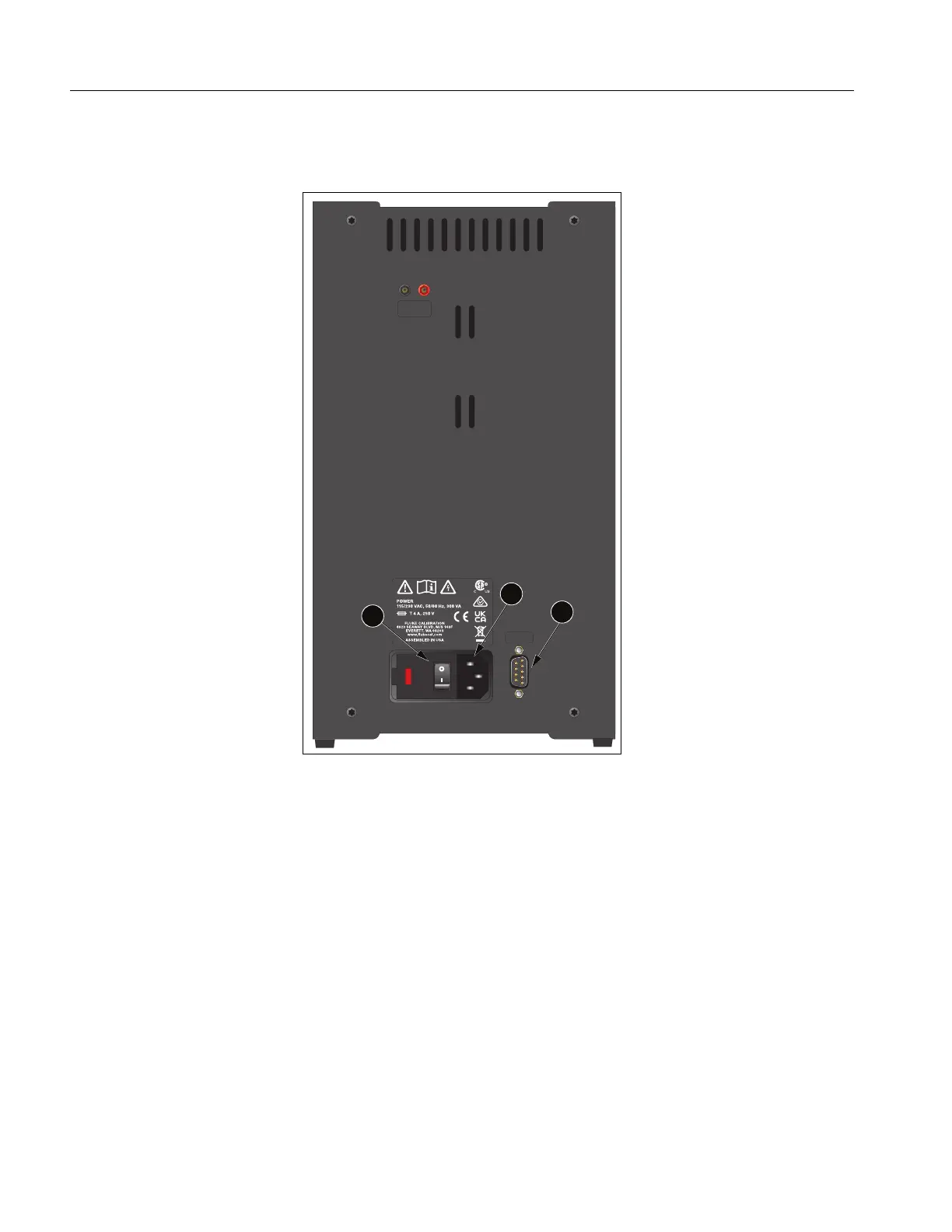
This section describes and shows the back panel. See Figure 2.
Figure 2. 7102 Back Panel
Power Cord – Underneath the calibrator is the removable power cord inlet that plugs into an IEC
grounded socket (A).
Power Switch (B) – The power switch is on the power entry module (PEM). The PEM also houses the
fuses and the dual voltage selector (most models). The PEM allows most units to be field switchable for
115 VAC ( ±10 %) or 230 VAC ( ±10 %) operation.
Serial Port (C) – Use the DB-9 male connector to interface the calibrator to a computer or terminal
with serial RS-232 communications.
Fan – The fan inside the calibrator runs continuously to cool the Product. Slots at the top and around
the two corners of the calibrator provide airflow. Keep the area around the calibrator clear to allow
adequate ventilation out of the back.
115V
RS-232
DISPLAY
HOLD
2
3
1



 To Next Page