7102
User’s Guide
22
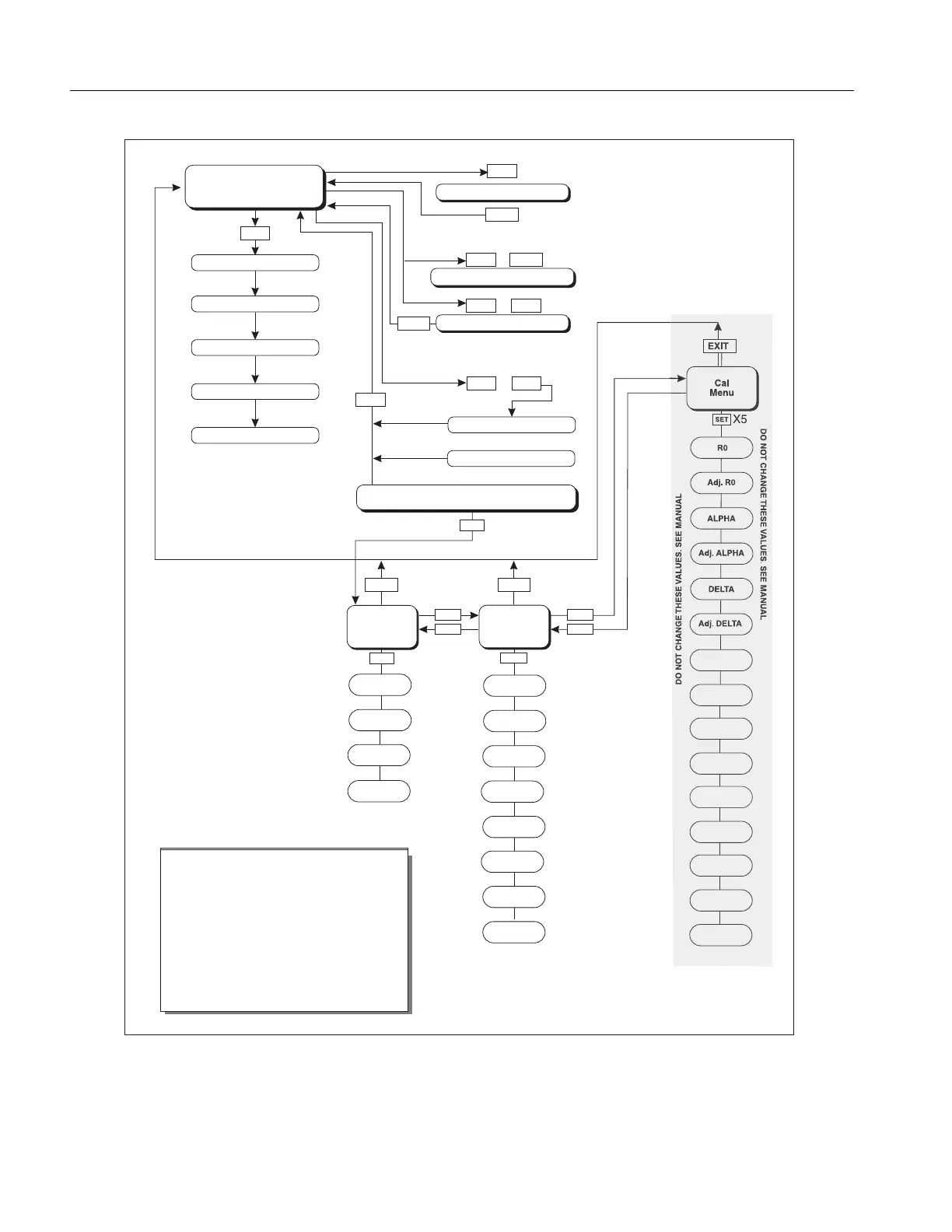
Figure 6. Controller Operation Flowchart
UP
NWODNWOD
SET
Operating
Parameters
Menu
SET
SET
Cal
Menu
ALPHA
DELTA
Adj. R0
LAUNAM
EES
.SEU
LA
VESEHTEGNAHC TON OD
ON
ODL
AUNAM
EES
.SEULA
V
ESEHTEG
NAH
C
T
Adj. ALPHA
Serial
Interface
Menu
BAUD
Rate
Adjust
BAUD Rate
Sample
Period
Adj. Sample
Period
Duplex
Mode
Adj. Duplex
Mode
Linefeed
Adjust
Linefeed
BETA
Adjust
BETA
EXITEXIT
EXIT
EXIT
EXIT
UP
DOWN
DOWN
SET
SET
SET
UP
+
+
+
Display Power
Toggles °C / °F
SET
SET
Select Setpoint
Adjust Setpoint
Units °C/°F
Scan On/Off
Scan Rate
Display
Temperature
Configuration Menu
Secondary Functions
X5
HL
Adj.HL
Displays Set-Point Resistance
Hold Temperature Display
EXIT
Set Proportional Band
R0
Adj. DELTA
Push
SET
to step through the menu and
to store the parameter value.
Push EXIT briefly to skip a parameter
without storing the parameter value.
Hold EXIT to exit the menu and display
the temperature
Stir Speed
Adj.Stir
Speed
UP
C0
Adjust C0
CG
Adjust CG
rCal
0
Adjust 0 ohm
200
Adjust
200 ohm



 To Next Page