FTK200
Users Guide
22
Sending Measurements to a Printer
To send measurements directly to a serial printer, proceed
as follows:
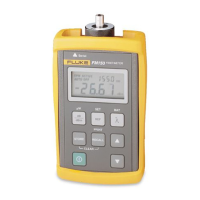
1. Turn on the FM150 Fiber Meter and the printer.
2. If necessary, set the printer to the data protocol given
under “Using the Serial Port” in this appendix. Refer
to the documentation for your printer for its
configuration instructions.
3. Use the RS-232 interface cable provided (with an
adapter, if necessary) to connect the meter to the
printer.
4. On the meter, press
R to enter the recall mode; then
hold down
R
until HELD appears. All measurements
stored for all wavelengths are transmitted to the
printer. When all measurements are transferred,
HELD
disappears.
Sending Measurements to a PC
To send measurements to a PC, use the LinkWare
software provided with the meter.


 To Next Page