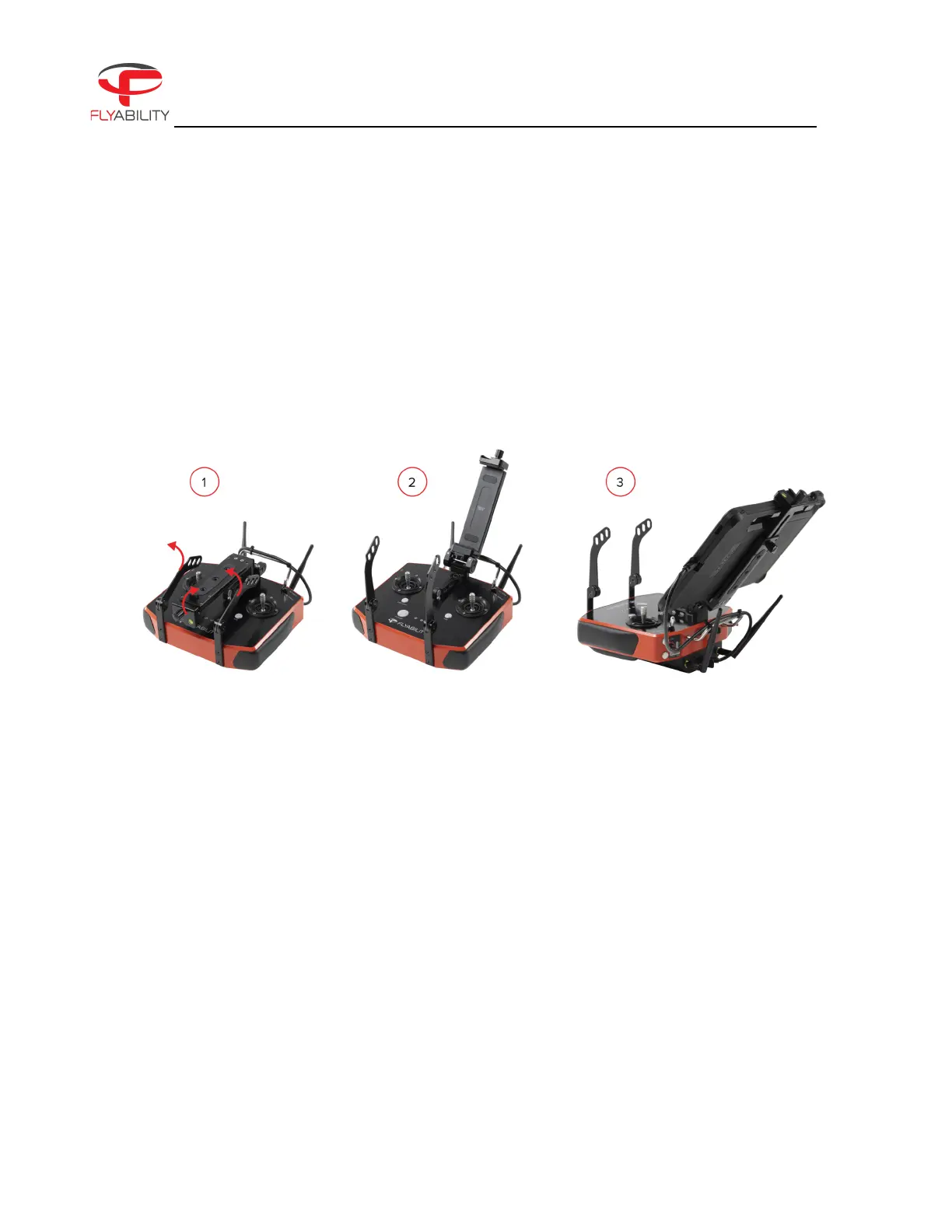
MOUNT THE TABLET
To mount the tablet onto the controller, follow these steps:
1. Put the antennas and the tablet holder in a vertical position.
2. Adapt the clamp height to the correct height for the tablet to fit in and then lock the tablet in place
with the locking knob situated on top of the tablet holder.
3. Connect your tablet to the remote controller via the USB-C cable.
Figure 3.2: Assembly of the GCS
POWER ON THE CONTROLLER
To turn the controller on/off:
– press the power button once; it will display the battery level on the LEDs
– Press it again and hold
The controller will turn on; the same sequence can be used to turn it off again.
POWER ON THE TABLET
To turn on/off the tablet:
– Press and hold down its power button.
RUN THE COCKPIT APP
– The cockpit app is used to view the live video and telemetry data from the drone. The cockpit app
comes pre-installed on the tablet shipped with the ELIOS 3 pack.



 To Next Page