31
30
Drivingwithoutdriveassistance
YoucanalsodriveyourFLYERwithoutdriveas-
sistance
byselectingtheassistancemode“OFF”.
However, you must ensure that your system is
alwaysswitchedon.
Never drive without a battery or with
your system switched off, as the func-
tions of the operating unit and the light-
ing functions are not available in this
case.
Alwaysremovethebatterybeforeclean-
ing,
maintainingorrepairingyoure-bike.
Ensure that you do not touch and thus
possibly connect contacts when clean-
ing
ormaintainingthebattery.
Youriskbeinghurtandthebatterymay
sufferdamageifthecontactsarelive.
Do not use a strong water jet or
high-pressurecleanerforcleaning.The
cleaning liquid may enter sealed bear
-
ings due to high pressure, dilute the
lubricant
and increase friction.Asa re-
sult, rust is formed which destroys the
bearings.
Cleaningwithahigh-pressure
cleaner may damage the electrical sys-
tem.
The following are not suitable for clean-
ing
yourFLYERe-bike:
• Acids
• Fats
• Oil
• Brake cleaner (only to use on brake
discs)
• Solvent-basedliquids.
These damage the surfaces and contrib
-
ute
towearontheFLYERe-bike.
Afteruse,ensurethatyoudisposeofthe
lubricant, cleaning and care products in an
environmentallyfriendly way.These sub
-
stances do not belong in domestic waste,
in
thedrainorinnaturalenvironments.
Smooth operation and durability of your
FLYER e-bike depend on appropriate
maintenanceandcareforyourFLYER.
• Regularly clean your FLYER with
warm water, small amounts of clean
-
ing
agentandasponge.
• While cleaning the FLYER, always
checkyoure-bikeforcracks,notches
ormaterialdeformities.
• Damaged parts must be replaced with
originalspareparts.Pleaseonlyride
your FLYER again after this check
hasbeencarriedout.
• Have any paint damage removed by
yourFLYERspecialistretailer.
Further important information concerning care for
yourFLYERe-bikeisprovidedonthewebsiteof
therespectivecomponentmanufacturer.
5.23 Battery
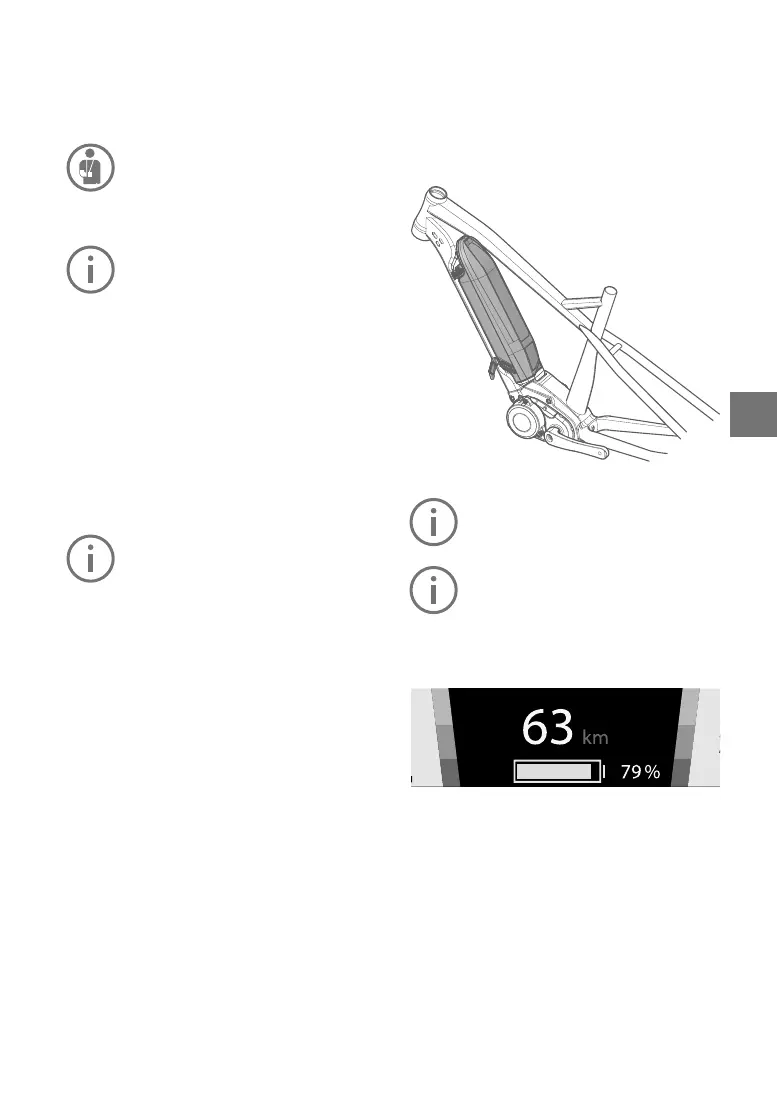
SIBdowntubebattery
Check the battery before you charge it
forthersttimeoruseitinyourFLYER
e-bike.
Completely charge the battery using the
chargerbeforetherstridetoensurefull
batteryperformance. Read and adhere
to the operating instructions for the
chargerwhenchargingthebattery.
Chargingstatusindicator
The main menu “Drive” on your display contains
a symbol that indicates the battery charge level,
whichisalsoshownasapercentage.
Inallothermenus,thechargelevelisdisplayed
asasymbolinthetop-left.
Ifthechargelevelislessthan20%,thebattery
isred.


 To Next Page