Chapter 2 Getting Started
Flyingvoice Network Technology Co., Ltd. 14
The phone supports IP mode: IPv4, IPv6.
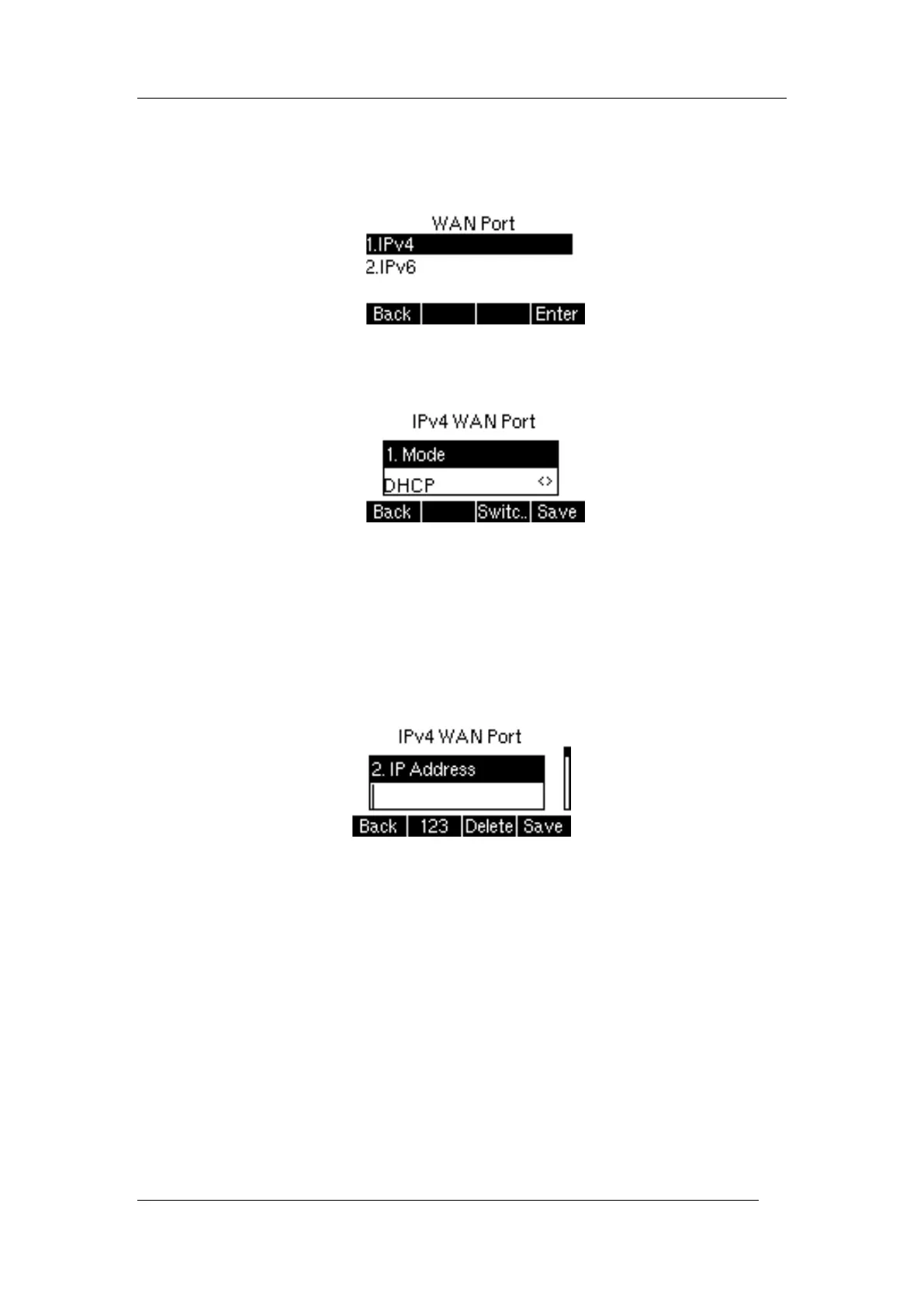
Set the IP address mode through the phone interface:
1. Press Menu->Advanced Settings (default password: admin)->Network->WAN Port
2. Select IPv4 or IPv6
3. Press Switch key to switch the type of IPv4 WAN port, select Static IP and DHCP
Set a Static IPv4 address through the phone interface:
1. Press Menu->Advanced Settings (default password: admin)->Network->WAN
Port->IPv4
2. Press Switch key to switch select Static IP
3. Enter the IP address, Mask, Default Gateway, Primary DNS and Secondary DNS in the
corresponding area respectively
4. Press the OK to save the operation
Tip
Incorrect network settings may cause the network to be unavailable and may also have an
impact on the performance of the network. To learn more about the parameters, please
consult your system administrator.
2.4 Registration
Usually, the system administrator will pre-configure the relevant parameters and deploy all
phones centrally, in this case, the phones are usually already registered with accounts.
The P10P IP phone supports 2 account registrations. If the phone is not registered, you need



 To Next Page