Chapter 4 Advanced Call Features
Flyingvoice Network Technology Co., Ltd. 31
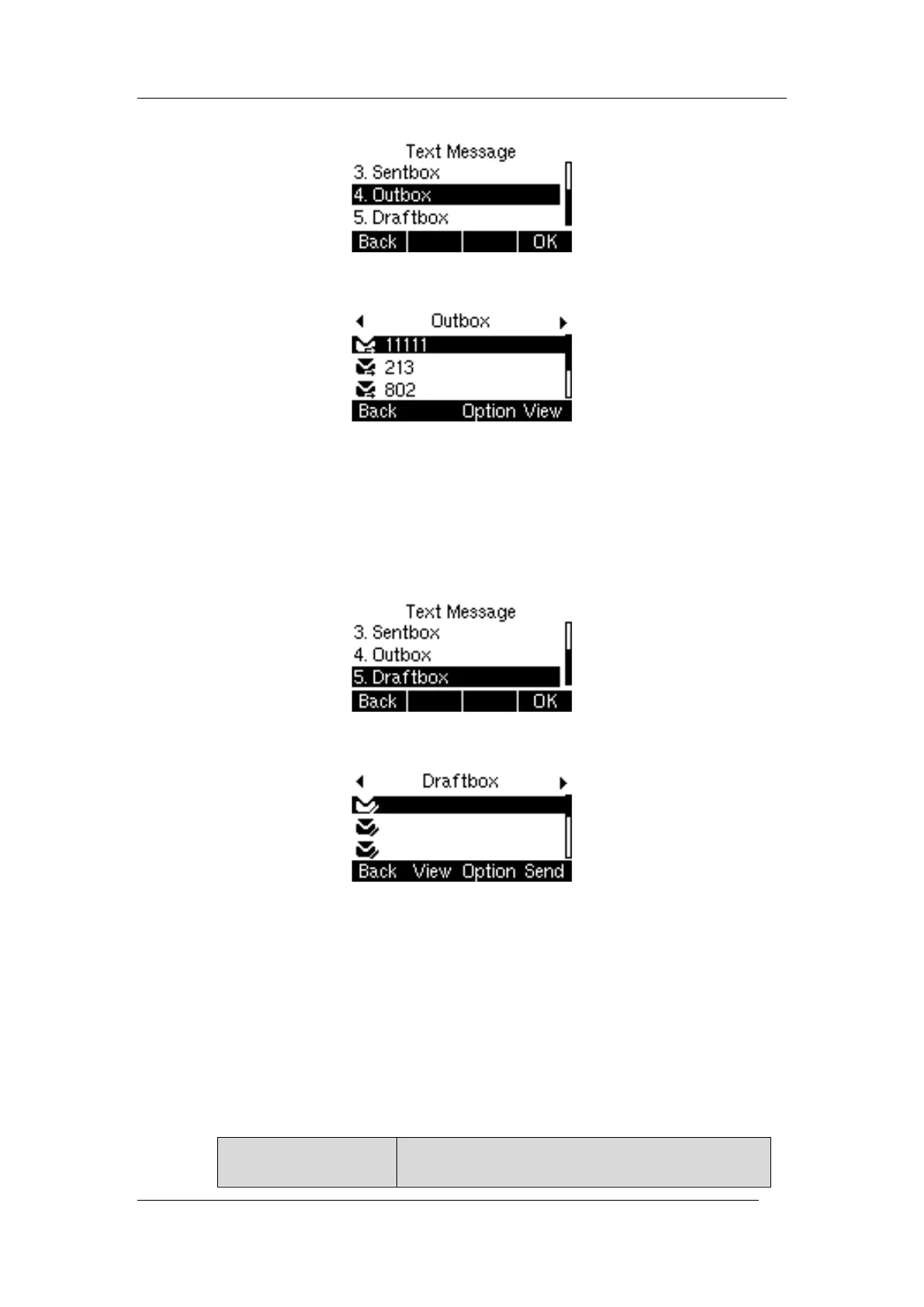
1. Press Menu->Message->Text Message->Outbox.
2. Display the list of failed messages, you can one message, press the View to view the
message content
When viewing a text message, you can press Forward to transfer the message to another
account; you can also press the Delete to delete the message, or press the Option in the
Sentbox message list to select Delete or Delete All.
Save to Draftbox: When sending a message, if it is not sent out and you quit editing the
message, it will be automatically saved to the draftbox
Procedure
1. Press Menu->Message->Text Message->Draftbox
Display the list of unsent messages, select one message, and press Send to send the text
message directly
Press View to view the text message; or press the Option to Delete or Delete all
4.4 MWI (Message Waiting Indicator)
When a voice message is received, the phone will prompt messages, the voice message icons
appear on the LCD interface, and the power indicator slowly flashes red. When all voice
messages are checked or deleted, the voice icon disappears and the power indicator turns
off.
Tip: Not all servers support the MWI function. For more information, please consult your
system administrator.



 To Next Page