Chapter 4 Advanced Call Features
Flyingvoice Network Technology Co., Ltd. 32
Before the MWI subscription cycle expires, the phone
resends the MWI subscription request.
Tip: The type of MWI subscription service used by the phone (account-based or voice-
message number-based) depends on the server selected. For more information, please
consult your system administrator.
Procedure
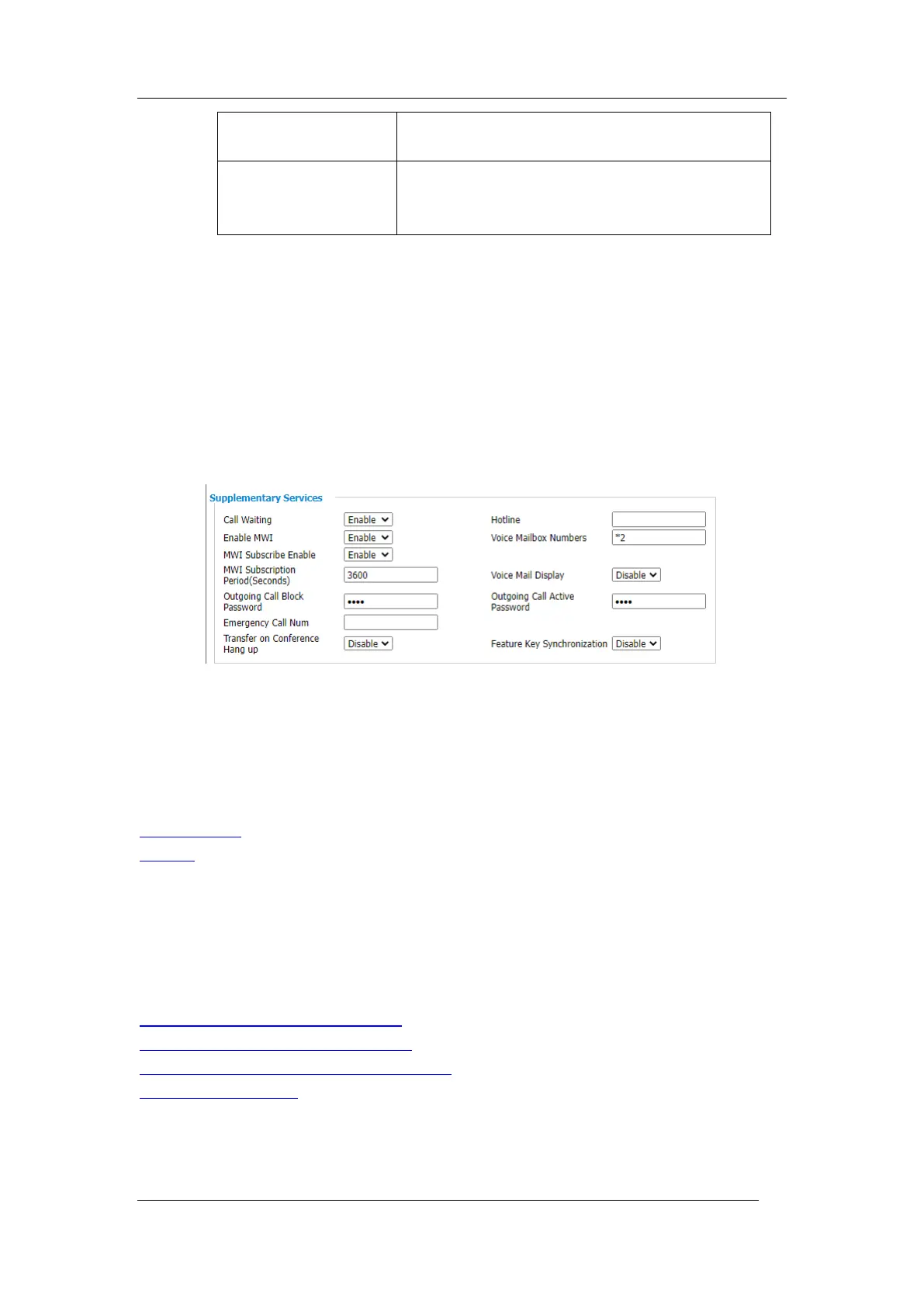
To set up MWI enable via the web interface.
1. Click SIP Account->Line x ->Supplementary Services
2. Enable MWI->Select Enable(Default Enable)
3. MWI subscription enable->select Enable
4. Click Save & Apply the save operation
4.5 Directory
The phone provides several types of phone directories, which can be customized by your
system administrator.
Topics
Local Contacts
Blacklist
Local Contacts
You can store up to 2000 contacts in your local directory, you can search, add, edit and delete
a contact.
Topics
Managing the Local Directory Groups
Managing the Local Directory Contacts
Moving a Local Directory Contact to Blacklist
Searching for Contacts
Managing the Local Directory Groups
You can manage the Local Directory groups when the phone is idle.



 To Next Page