Chapter 5 Customizing Your Phone
Flyingvoice Network Technology Co., Ltd. 41
1. Navigate to Menu > Advanced > Change Password.
2. Select Menu Password Enter your old and new password information.
3. Select OK.
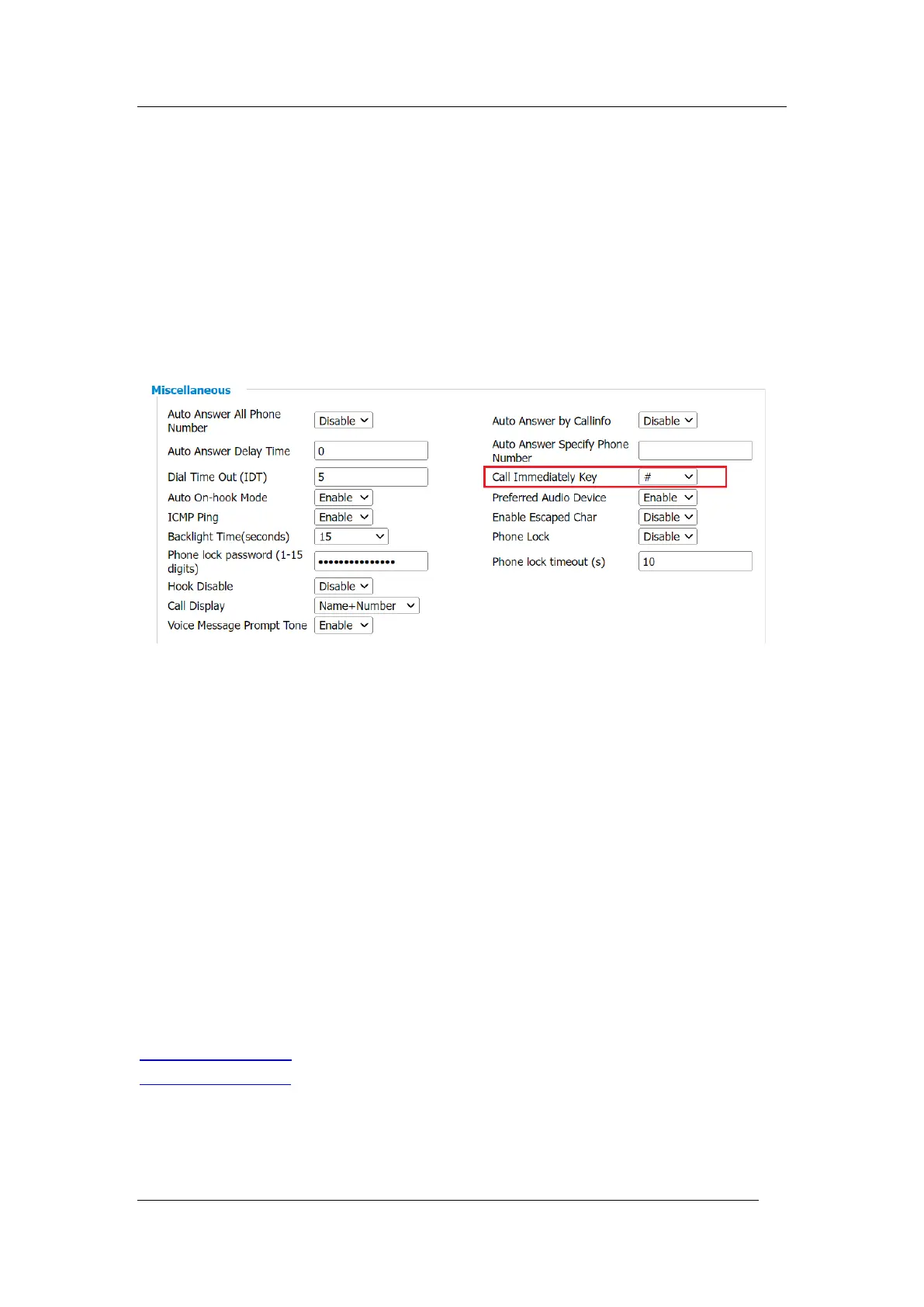
Call Immediately key
You can set the "#" key or the "*" key as the call Immediately key, the default is the "#" key
Setting via phone web
Procedure
1. Phone-> Preferences-> Miscellaneous
2. Select "#" or "*", click save and apply
Phone lock
To set the keypad lock locally via the phone.
1. Press Menu->Basic Settings->Phone Lock
2. Select the Phone Lock on or off by press Switch
3. fill in the keyboard lock time (unit: seconds)
4. Click Set Password, fill in the new password, confirm again and press OK
Tip: If the two password input is same, it will prompt "password change successfully", else it
will prompt "two password input inconsistent", you need to input password again
5. After successful setting, the LCD will be locked after the screen is turned off, click the Unlock,
enter password and click OK to unlock the screen.
5.2 Audio Settings
You can change the basic audio settings on your phone.
Topics
Adjusting the Volume
Setting the Ring Tone
Adjusting the Volume
You can adjust the volume of the ringer, media, and the audio during a call.



 To Next Page