Chapter 4 Advanced Call Features
Flyingvoice Network Technology Co., Ltd. 27
Chapter 4 Advanced Call Features
You can perform some server-dependent tasks on the phone. Contact your system
administrator to find out if your phone supports these advanced call features.
Topic
Paging
Voice Mail
Text Message
MWI (Message Waiting Indicator)
Directory
Call History
4.1 Paging
You can use the paging feature to easily and conveniently send time-sensitive
announcements to every member of your paging group.
Tip: Paging is not supported by all servers. For more information, please contact your system
administrator.
Configuring Paging function
The server side configures the account to use the paging function, and sets up the
paging/intercom group number.
Procedure:
1. Finish configuring paging on the PBX
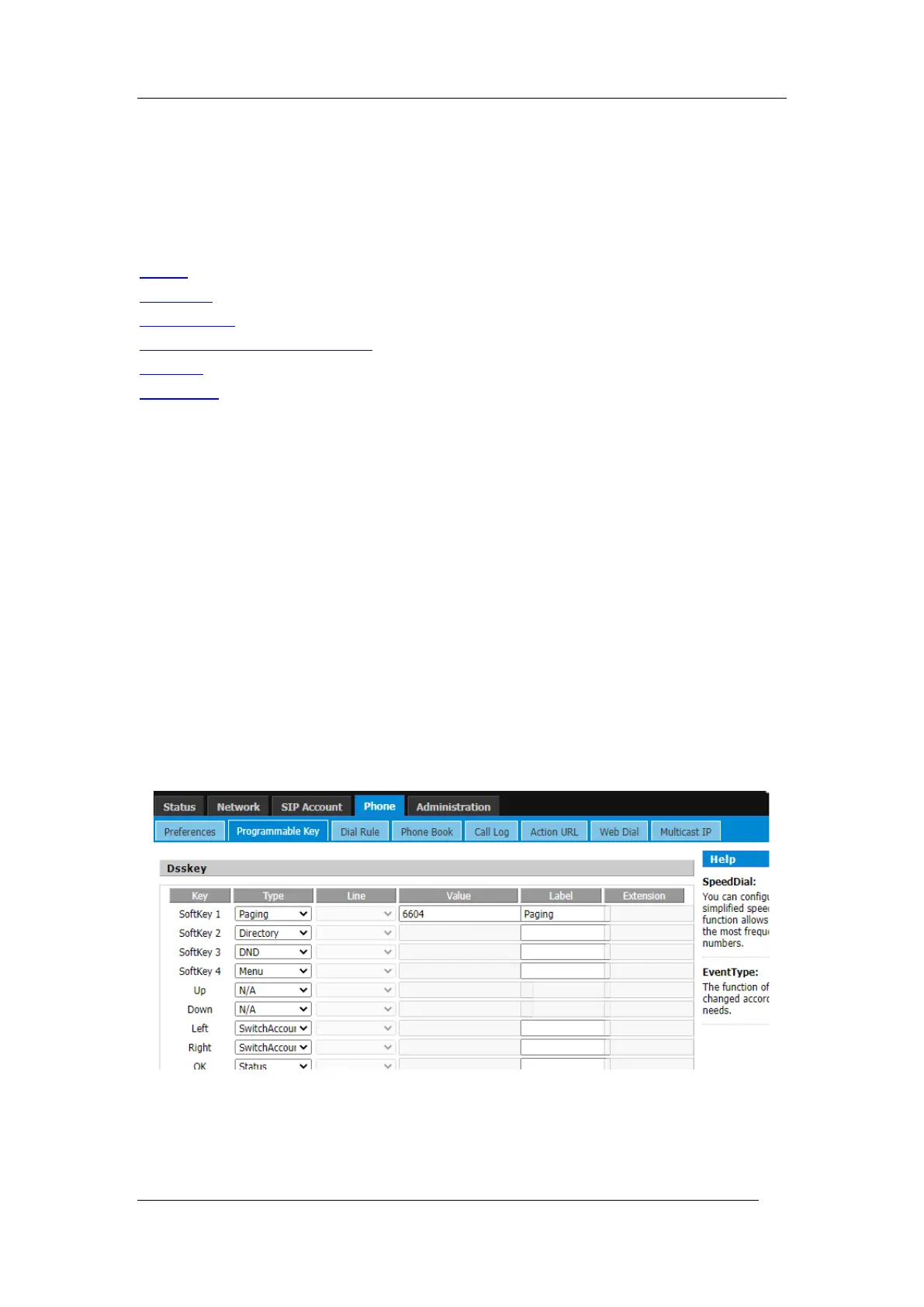
2. Then log into the phone's web interface, go to Phone->Line key page, type select
Paging, enter the group number into the value, then click the Save button.
3. After that, you can press the configured programable key to use the function.
Using Paging



 To Next Page