Chapter 4 Advanced Call Features
Flyingvoice Network Technology Co., Ltd. 29
4.3 Text Message
The phone supports the functions of newly sending text messages, viewing sent text messages,
receiving and viewing read/unread text messages, saving sent failed text messages, deleting
text messages, etc. The main contents include the following.
⚫ New Message
⚫ Inbox
⚫ Sentbox
⚫ Outbox
⚫ Draftbox
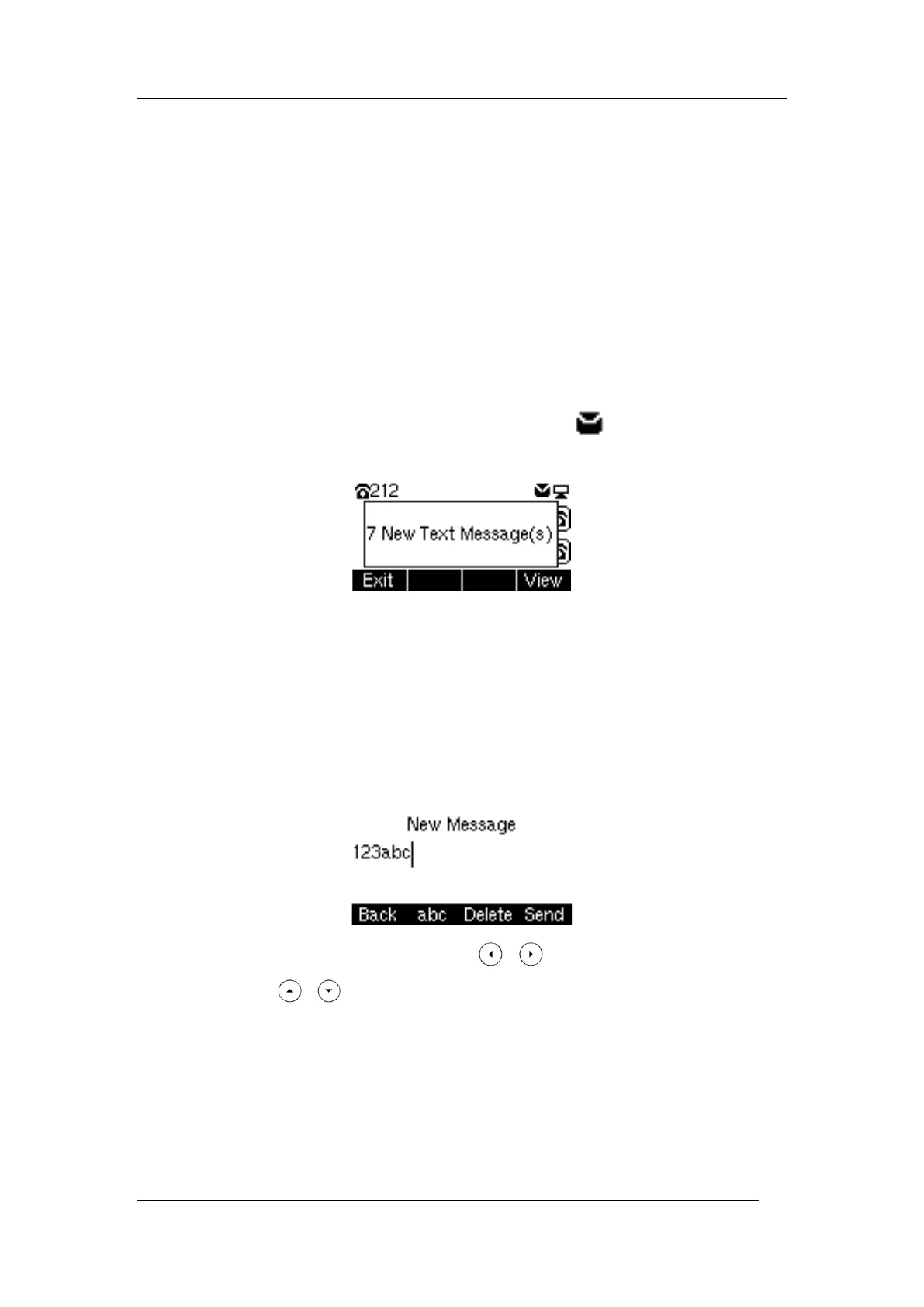
When a new text message is received, the power indicator flashes red slowly, the LCD interface
indicates "n New text messages", and the voice message icon is displayed in the status
bar of the main interface.
Description: After exiting the text message prompt window, the unread prompt window will
not pop up again until there is a new text message, or an account with an unread text message
after re-registration.
New Message
Procedure
1. Press Menu->Message->Text Message->New Message
2. Enter the text message content, and the text message cannot be empty
3. When finished, Press Send soft key, press the or key to switch the sender account,
and then press the or key to fill in the recipient account.
4. After filling in the message, press the Send soft button, and if "Sending Message…" is
prompted, it means the message has been sent to the recipient, if "Fail to send " is prompted,
it means the recipient does not exist or other errors, the text message will be saved in the
Outbox and can be changed and resend.
Viewing text messages



 To Next Page