22
Installation and Operation Manual
SystemsSystems
2001 and 2002
If you are still having difficulty priming the foam
pump in your FoamPro system, do the
following:
• Make sure foam concentrate tank shutoff
valve is open.
• Check to make sure there are no restrictions
from the concentrate tank to the inlet of the
foam pump.
• Check to make sure there are no leaks in
the plumbing where air can enter the pump.
Wet the foam pump to speed priming operations
using the following procedures.
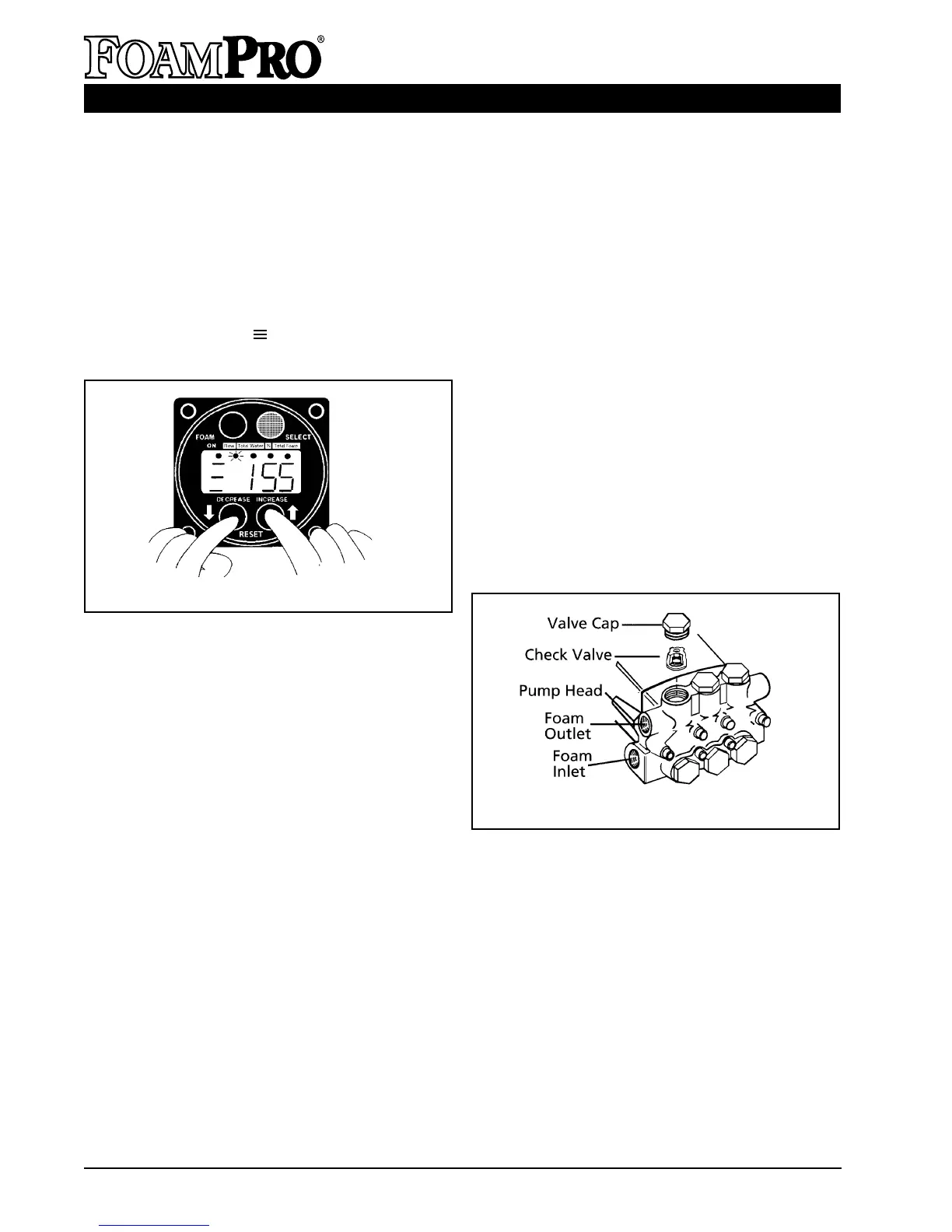
• Remove one of the valve caps from the
head of the pump and remove the check
valve under it (see Figure 23).
• Pour a small amount of concentrate into the
valve opening to fill up the pumping
chamber in the pump head.
• Replace the check valve and cap and
tighten securely. Run the pump again and
the pump should prime right away.
Proceed to calibration section as the system
must be calibrated.
Figure 23. Foam Pump Manual Priming
Figure 22. Simulated Flow Indication
➯
➯
➯
collect the output that will be coming from the
foam pump.
• Put the system into “simulated flow mode”
by selecting the “FLOW” display and
depressing "RESET" (both up and down
buttons simultaneously) (See Figure 22).
Increase simulated flow by pressing
button to permit easier priming (above 150).
Display will show “ ” to indicate the
simulated flow.
• Engage the FoamPro system by pressing
the red “FOAM" button.
• Foam concentrate should begin flowing into
the container. If concentrate is not being
pumped, check first to make sure the foam
pump is running. If the pump is running, but
no concentrate is being delivered, then the
pump is most likely not primed completely.
If the pump does not prime within 20-30
seconds, disengage the system by pressing
the red “FOAM” button.
• If the system has been installed properly,
foam concentrate should flow readily to the
pump.
• Once foam flow is established, turn the
system off and turn the CAL/INJECT valve
back to the inject position.



 To Next Page