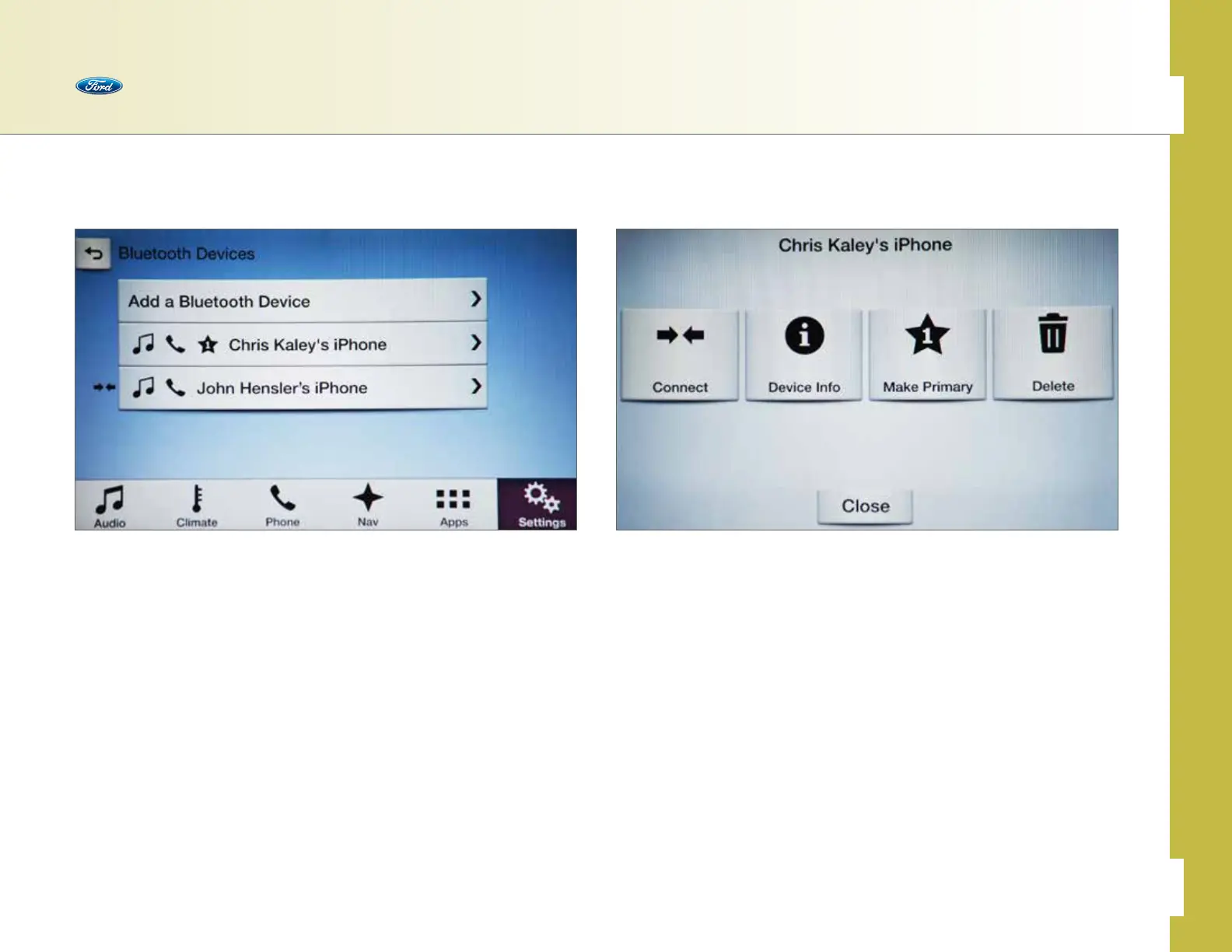
Phone Menu
The Phone menu provides easy access to make decisions about connected
phones with SYNC 3.
To access:
• Press Settings
• Press Phone
• Press View Devices
• Press the phone you want from the list
• Choices appear on the screen for:
– Connect > Disconnect
– Device Info
– Make Primary
– Delete
Switch Between Paired Phones
This allows you to connect a dierent, previously paired Bluetooth
®
-enabled
phone.
To switch:
• Press Settings
• Press Phone
• Press View Devices
• Select the phone you want to connect, and then press Connect
Note: Only one device can be connected at a time. When another phone is connected,
the previous one will disconnect.
Phone
30 of 76
SYNC
®
3 TECHNOLOGY INFORMATION BOOK



 To Next Page