Soware Updates
As system updates and performance improvements become available over time, owners have convenient ways to keep their systems running optimally.
75 of 76
SYNC
®
3 TECHNOLOGY INFORMATION BOOK
Soware Updates Via USB
• Owners can use SYNC 3 while installation takes place in the background
• Installation can also continue when the vehicle is o
• Navigation map updates are only available through USB, not Wi-Fi
®
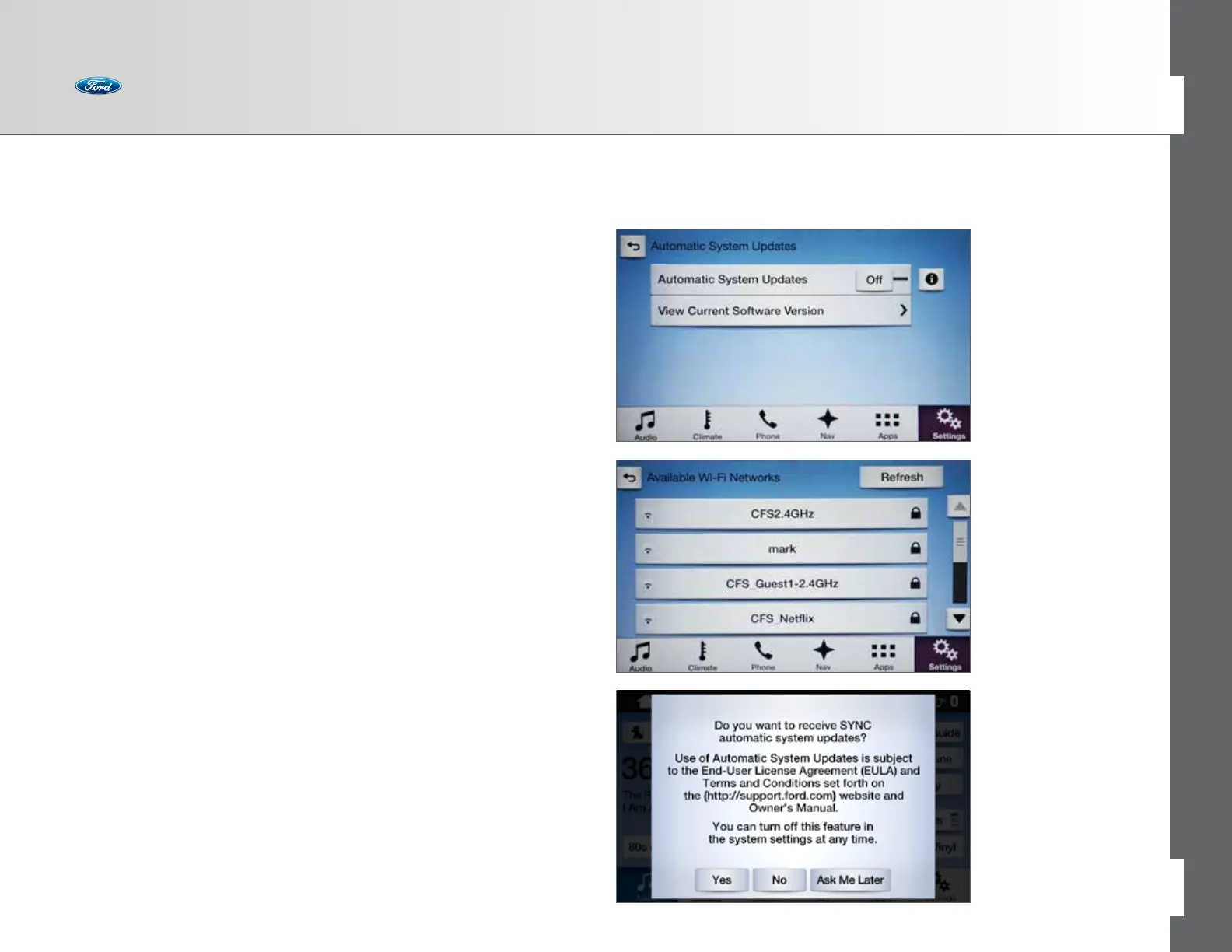
Soware Updates Via Wi-Fi
• Automatic updates are available through Wi-Fi connection
• SYNC 3 can periodically check if an update is available, download,
install and activate the soware
• Like a USB update, download and installation can continue while
the vehicle is o
Detailed instructions for updating soware are located at owner.ford.com.
Enable Automatic System Updates
This allows soware updates via a Wi-Fi connection.
• Press Settings > General > Automatic System Updates > On
and agree to the terms and conditions
• Press Settings > Wi-Fi > On and select an available network



 To Next Page