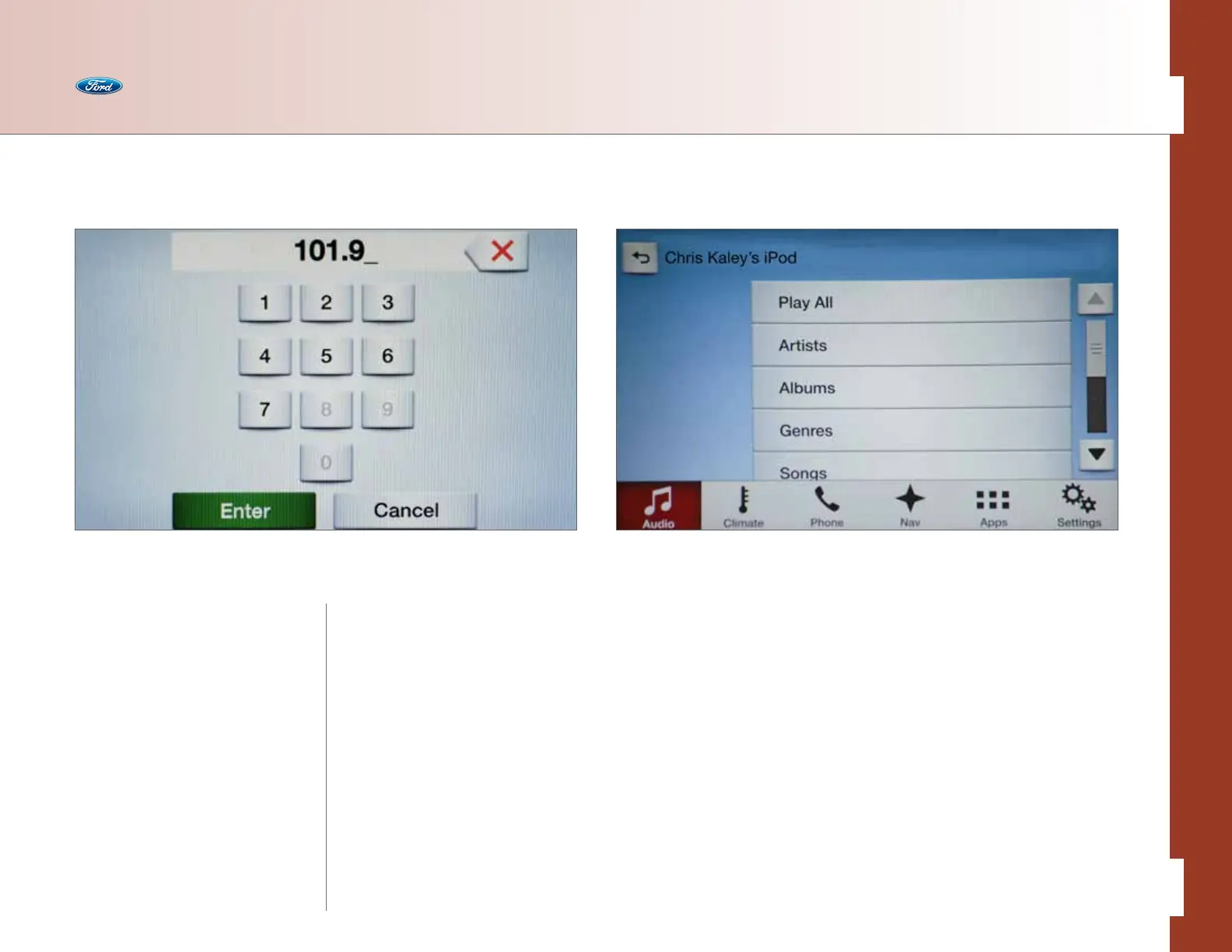
This feature allows you to browse through
media devices — CD track list, USB device,
etc. — without having to change the audio
source to find what you want.
• Press the Audio button > Sources >
(CD, USB 1 or USB 2) > Browse
• Use the following to browse:
– CD – browse specific tracks on the CD
– USB – browse indexed music:
• Play All
• Artist
• Albums
• Genres
• Songs
• Composers
• Explore Device
Audio
Set Your Radio Presets Browse
Automatically
• Press the Settings button
• Press Radio
• Press Refresh/Store Autoset
Presets (AST) to have the
system automatically store the
six strongest AM and FM stations
in your current location
Manually
• Press the Audio button
• Press Sources
• Press AM, FM or SIRIUS
• Press Direct Tune
• Enter the desired station and
press Enter
• Press the Preset bank you want and
then press and hold one of the Memory
Preset buttons to save it. You will hear
a brief mute and the sound will return
when the station is saved
• Or, use the Tune/Seek button on the
radio to find a station, and then press
and hold a Preset to save it
Under Explore Device, other options
available include:
• Play All
• Playlists
• Artists
• Albums
• Genres
• Songs
• Composers
• Audiobooks
In addition to browsing via touch, you can
also browse by saying what you want.
33 of 76
SYNC
®
3 TECHNOLOGY INFORMATION BOOK



 To Next Page