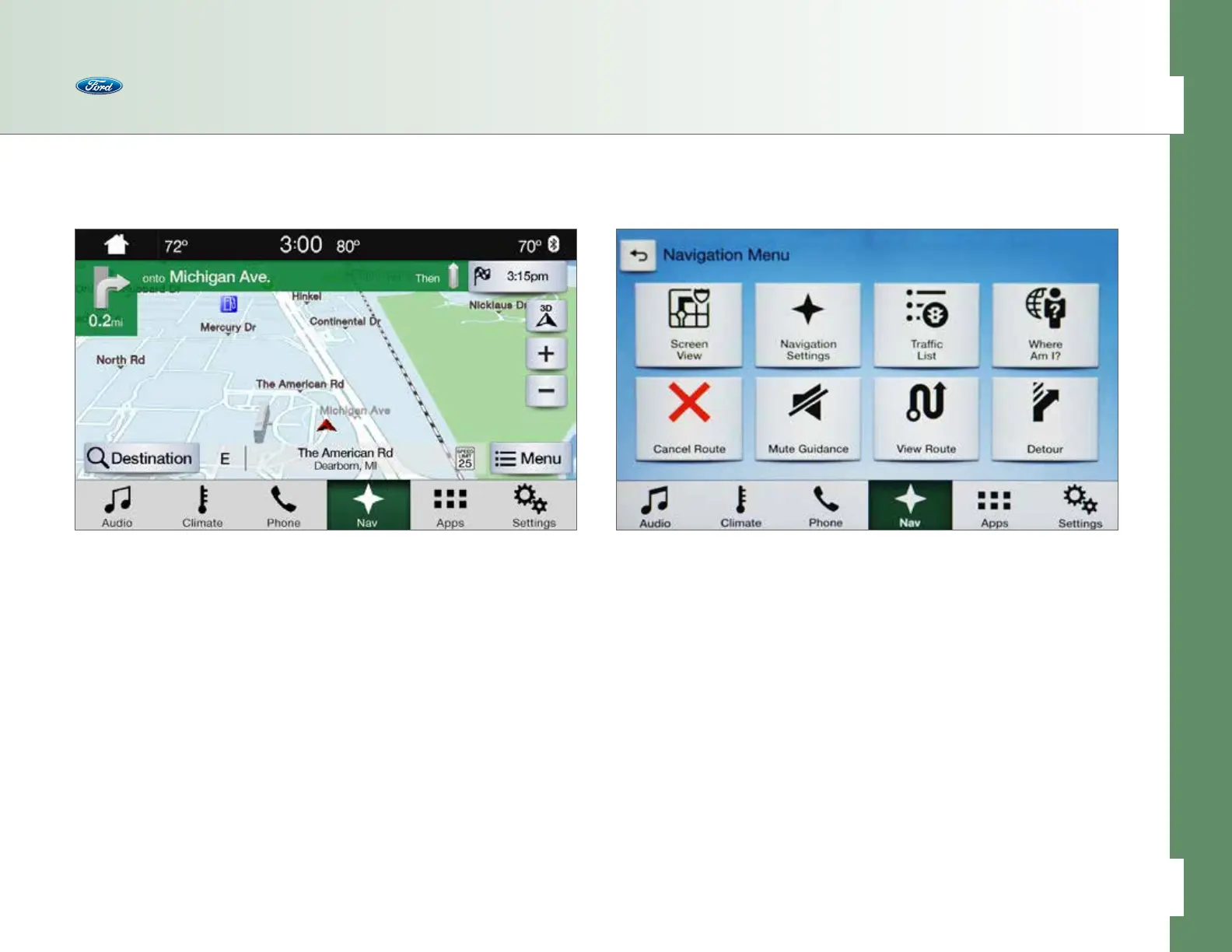
• Navigation Settings (see pages 43–47 for
more on personalizing these settings):
– Map Preferences
– Route Preferences
– Navigation Preferences
• Trac List – provides trac info
along a route
• Where Am I? – provides location
information about the current and
nearest roads, plus latitude and
longitude coordinates
• Cancel Route – provides a quick
way to cancel the current route
• Mute Guidance – turns o the audio
• View Route – shows the full route
on the map
• Detour – calculates a new route
When on the map and not actively
using the screen for about 10 seconds,
the system switches view to a full
map screen with the bottom menu
hidden. Press Controls to return to
full functionality.
• The Destination button is large
and prominent in the screen
• A Menu button provides quick
access to:
– Screen View
– Navigation Settings
– Where Am I?
– Cancel Route
– Mute Guidance
– View Route
– Detour
Navigation
Screen Layout Using the Menu
• The View button is located to
the right and allows you to toggle
between dierent Navigation
View modes: North Up, Heading
Up or 3-D
• The +/- buttons are also located
to the right and allow you to zoom
in and out from 50m to 200km.
There’s also a quick zoom, which
allows you to see 200m or 10km
views with one easy touch on the
screen. This pops up whenever you
touch the +/- buttons
With a prominent Navigation menu, you
can quickly get to and alter the settings
you want.
Touch Menu to access:
• Screen View:
– Full Map – provides a large
map on the screen
– Highway Exit Info – provides a
smaller map with a split screen
for highway exit info for things
like gas stations, restaurants or
coee shops available at the exit
– Turn List – provides a detailed list
of all turns when on active route
40 of 76
SYNC
®
3 TECHNOLOGY INFORMATION BOOK



 To Next Page