EV Info
Charge Settings
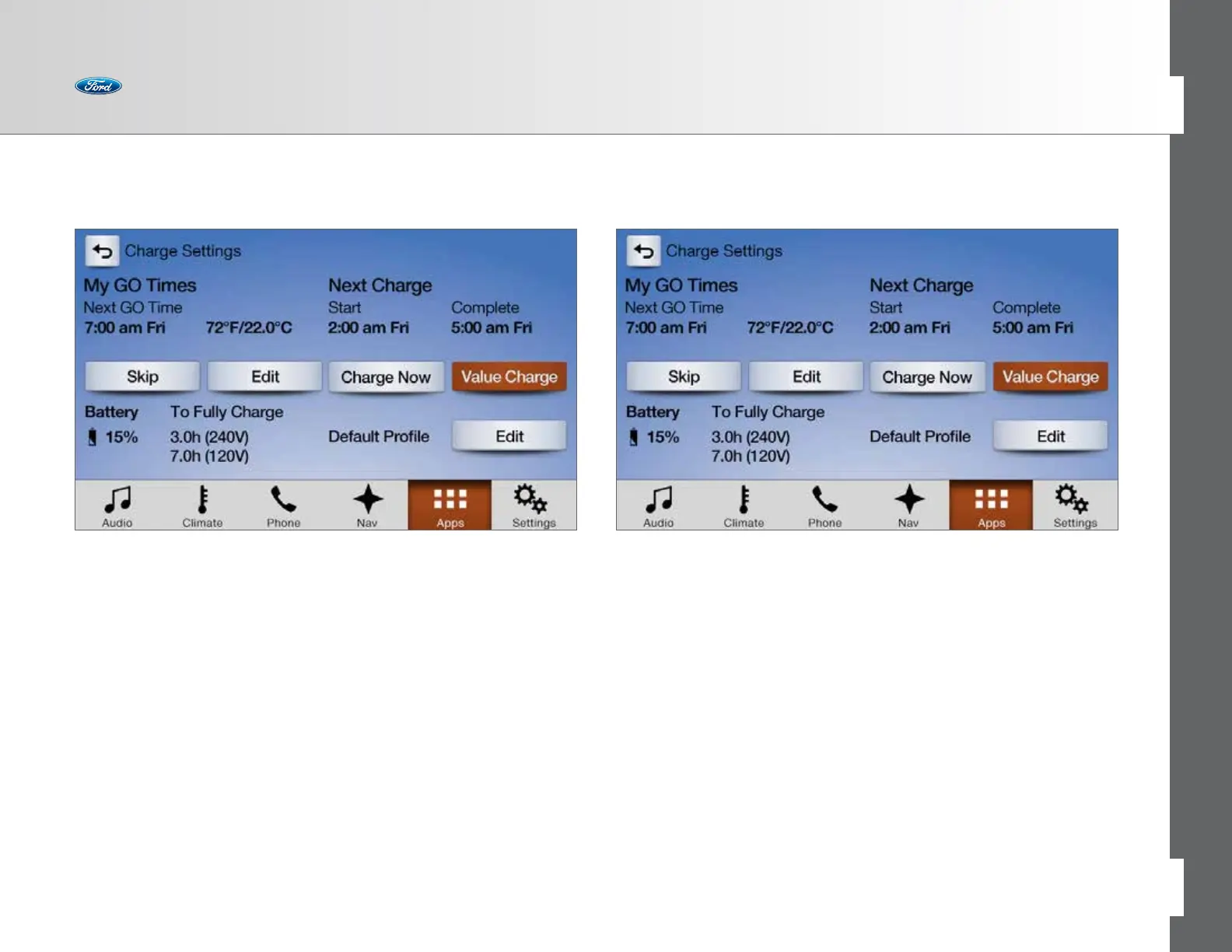
To access your Charge Settings screen, touch Apps > Electric Vehicle.
The Charge Settings screen is arranged clockwise into four main quadrants:
• My GO Times — Allows the driver to set GO Times and Cabin Temperature settings
• Battery Status — Provides the present Battery State of Charge and estimated
times required to fully charge the battery based on either 240V or 120V charging
service
• Charge Profile — Shows the name of the Charge Profile for your present
location, along with its Charge Mode setting
• Charge Status — Includes Start and Complete times, along with charging status
My GO Times
Allows you to set charging schedules and cabin conditioning temperature
settings
(1)
so your vehicle is ready to drive when you are.
• Select Edit to set your GO Time and cabin temperature.
You can set up to two GO Times for each day of the week
Using electricity to heat or cool the cabin while plugged in saves battery energy
for driving.
(1) Eectiveness of preconditioning may be reduced by extreme outside temperatures or when using
110V charging.
71 of 76
SYNC
®
3 TECHNOLOGY INFORMATION BOOK



 To Next Page