65 of 76
Settings
SYNC
®
3 TECHNOLOGY INFORMATION BOOK
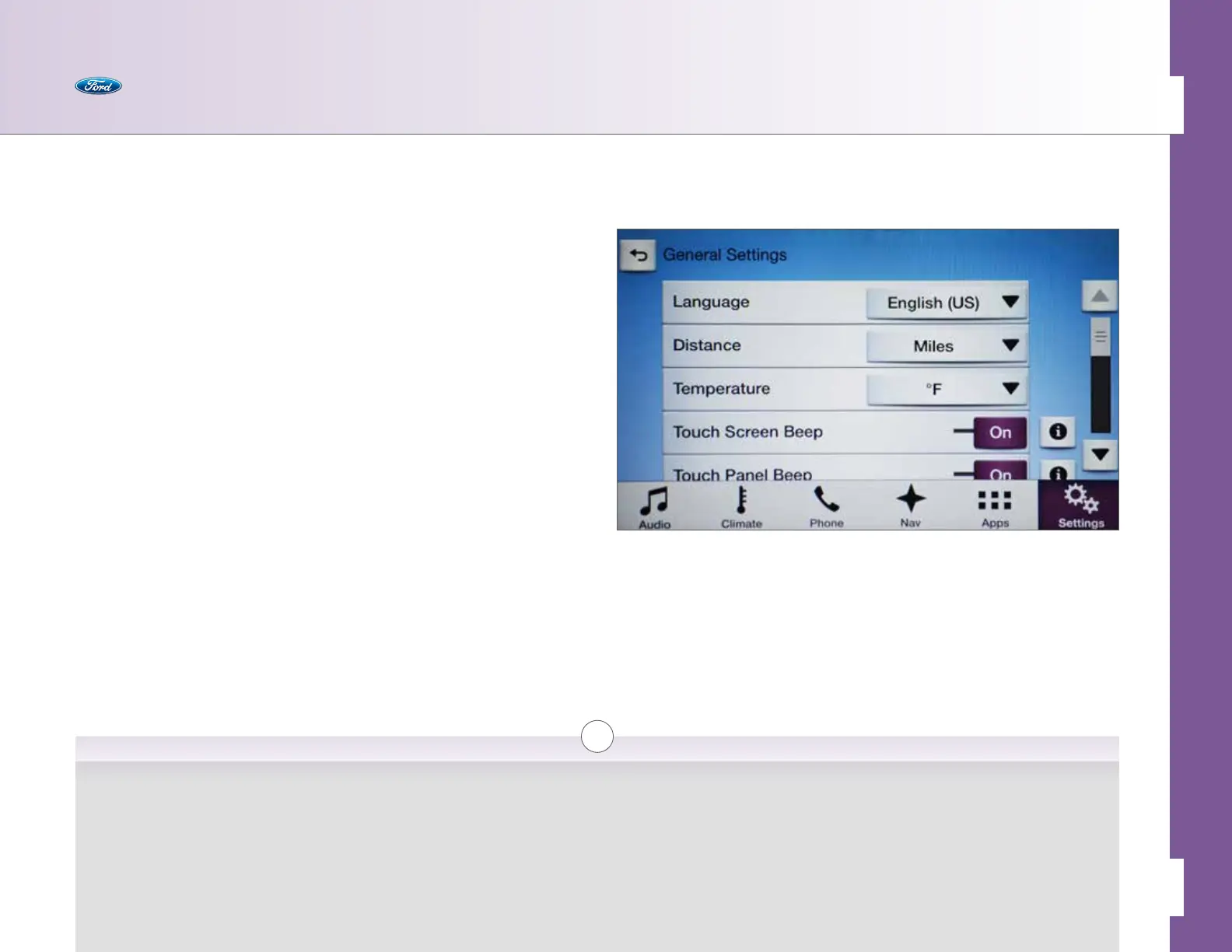
General
Use this to configure general settings like language and
temperature display.
• Language > English/Espanol/Francais
• Distance > Miles/Kilometers
• Temperature > F/C
• Touch Screen Beep > On/O [i]
• Touch Panel Beep > On/O [i]
• Automatic System Updates [i]
• Automatic System Updates > On/O
• View Current Soware Version
• About [i]
• Soware Licenses [i]
• Master Reset [i]
i
Touch Screen Beep
Enables or disables the
audible beep when the
touch screen detects a
touch.
Touch Panel Beep
Enables or disables the
audible beep when the
touch panel area below
the screen detects a touch.
Automatic System Updates
Enables or disables auto-
matic downloading and
installation of SYNC System
updates when your vehicle
is connected to a Wi-Fi
®
network or mobile apps.
About
Provides information
about SYNC, including the
soware version, and any
specific serial numbers or
identification numbers
that may be specific to
your vehicle’s system.
Soware Licenses
Provides information
on the licenses for
specific soware within
your vehicle.
Master Reset
Resets the system to
factory default settings.
All changes made, including
paired Bluetooth
®
devices,
contact lists, and saved
points (if the vehicle is
equipped with navigation)
will be lost.



 To Next Page