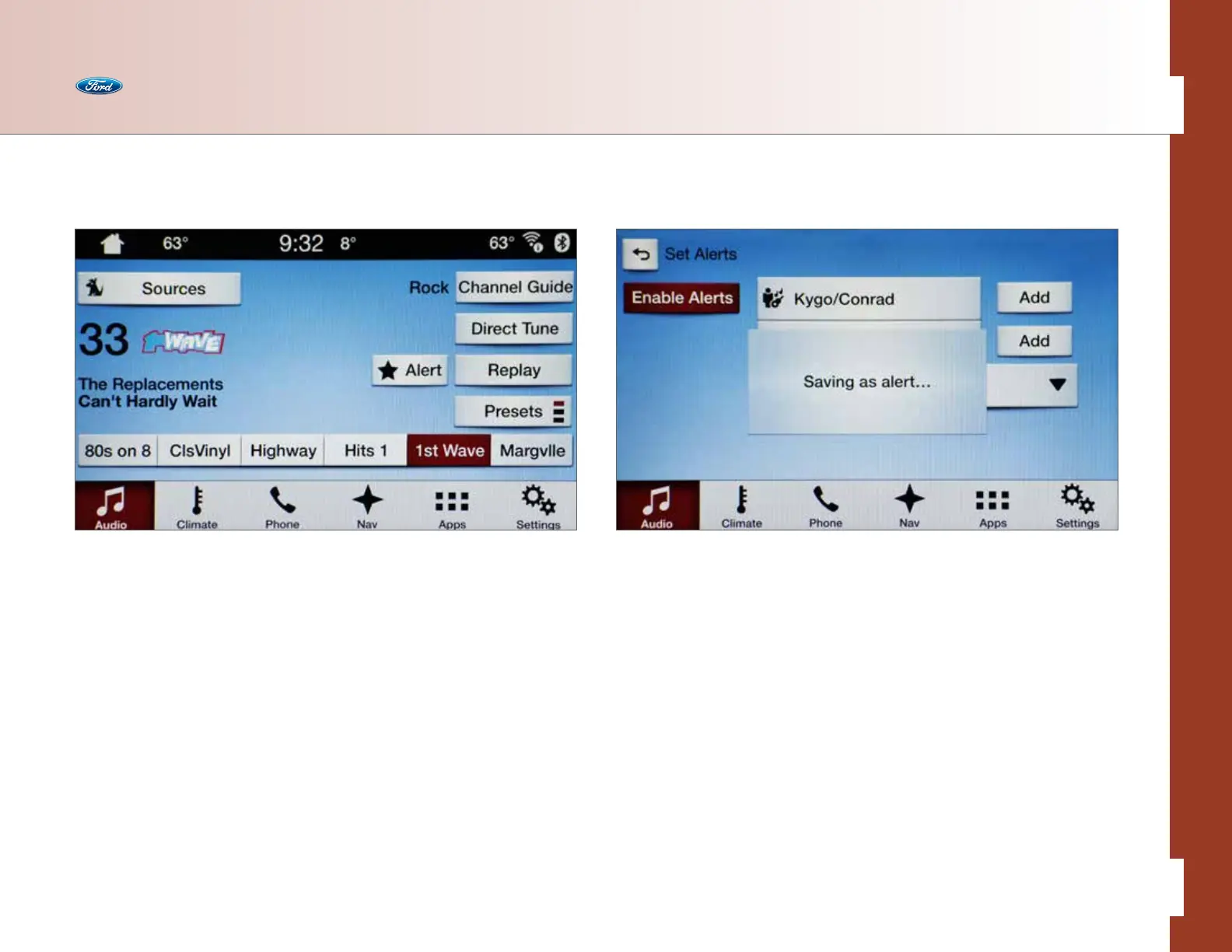
Using SiriusXM Satellite Radio
• Press and hold one of the memory preset areas (located in the middle of the
screen near the bottom). You will hear a brief mute and the sound will return
when the channel is saved
• Press Direct Tune and enter the desired satellite channel number via the
on-screen keypad
• Press the Preset button to change preset banks (SIRIUS 1, 2 or 3)
• Press Alert to save the current song or artist as a Favorite (up to 20 can be
saved) and the system will alert you when it plays again
• Select Channel Guide to view a list of all available channels. Scroll and select
the desired channel. You can also lock or skip unwanted channels or view the
song/artist on other channels
• Press Replay to pause and replay up to 44 minutes of audio as long as you
remain tuned to the current channel
SiriusXM
®
Satellite Radio
Enjoy over 150 channels, including 100% commercial-free music from virtually
every genre, plus live sports play-by-play, news, talk and entertainment — all with
crystal-clear, coast-to-coast coverage.
A six-month subscription to the best SiriusXM has to oer – the All Access Package –
is included with vehicle purchase. Aer the initial six months, you can extend your
subscription by calling SiriusXM Customer Care at 1-877-447-0011.
The All Access Package includes:
• SiriusXM Satellite Radio, where owners can listen to over 150 channels
in the vehicle
• SiriusXM Internet Radio, where owners can listen to over 160 channels
on a computer, tablet or smartphone
Audio
35 of 76
SYNC
®
3 TECHNOLOGY INFORMATION BOOK



 To Next Page