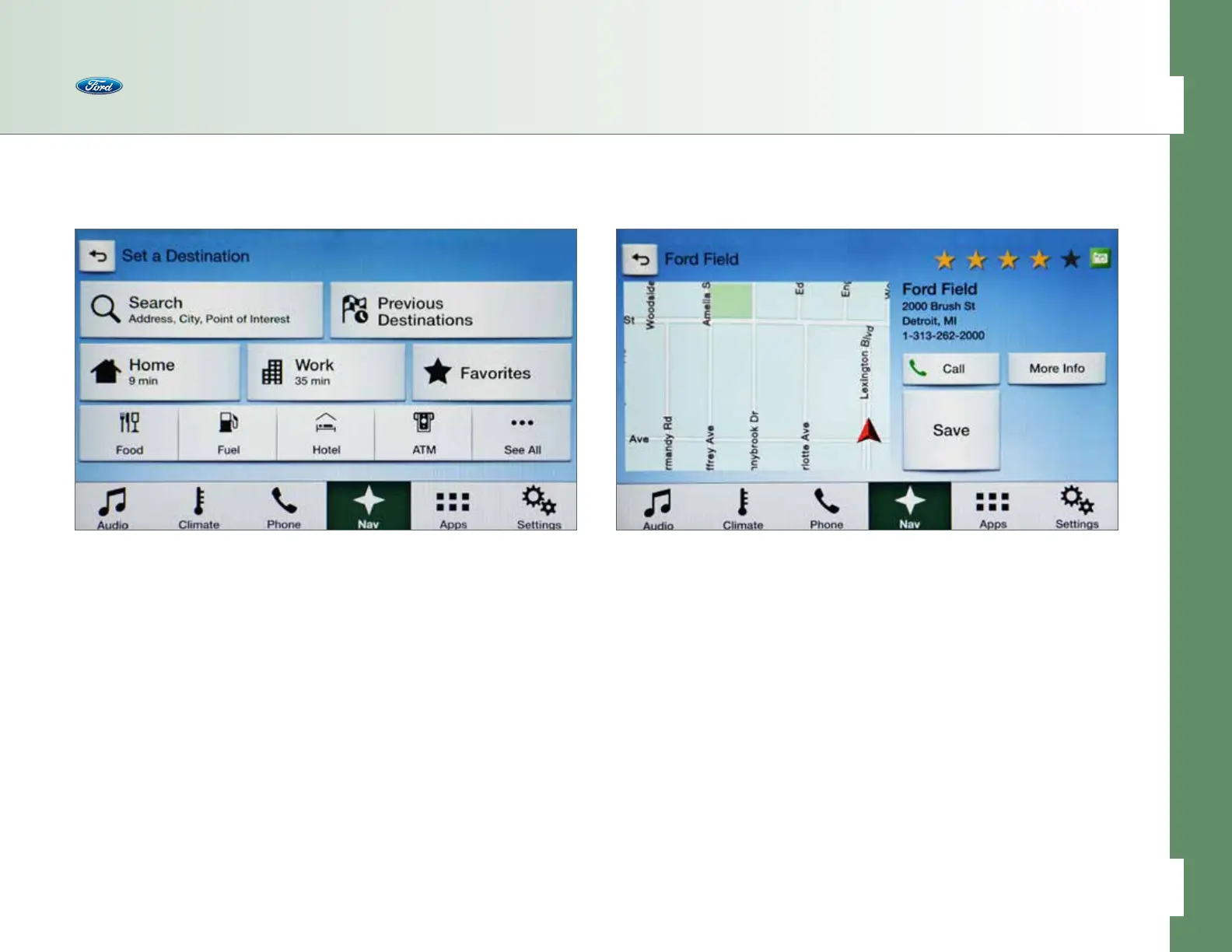
Saving a Favorite
In addition to saving Home and Work addresses, you can save other favorite
destinations into the system to quickly, conveniently get directions to them
from wherever you are.
Saving a Favorite is as easy as pressing the Save button when you see what you
want on the touch screen while entering a destination. Instead of pressing Start,
press Save. When you want to recall your saved Favorites, go to the Destination
screen and press the Favorites button.
• When you find a specific address, the touch screen will show two options for
what to do next with the address: Start or Save
• Press Save
Saving Home and Work Addresses
You can set Home as the nearest intersection to ensure privacy or your specific
home address. Make sure the vehicle is in Park first. Once set up in the system,
the time to reach Home and Work destinations, from wherever you currently are
located, appears clearly on the screen.
1. Press Nav in the bottom menu.
2. Press Destination.
3. Press Home and answer Yes to the prompt.
4. Use the keyboard to enter an address, city point of interest or intersection.
5. Press the result you want when it appears on the screen and then
press Save.
6. Home appears with time to reach the destination on the Destination screen.
Repeat the process to set up a Work address into the system.
Navigation
48 of 76
SYNC
®
3 TECHNOLOGY INFORMATION BOOK



 To Next Page