Navigation
Setting Preferences (cont’d.)
Setting Map Preferences (cont’d.)
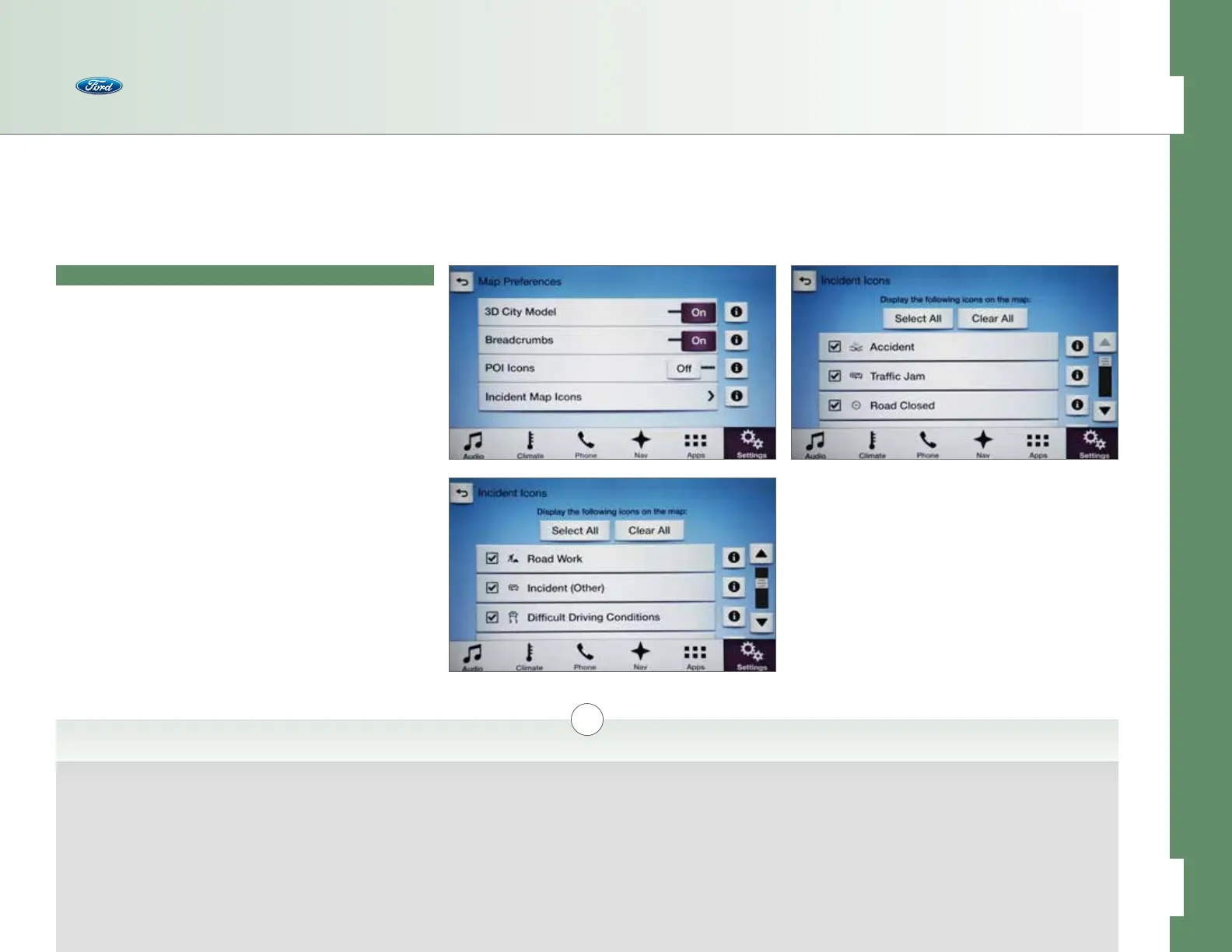
• Incident Map Icons > allows you to display the following
icons on the map with choices for Select All and Clear All:
– Accident [i]
– Trac Jam [i]
– Road Closed [i]
– Road Work [i]
– Incident (Other) [i]
– Dicult Driving Conditions [i]
i
Accident
Displays an icon on the
navigation map at the
location of an accident
(requires an active
subscription to SiriusXM
Travel Link).
Trac Jam
Displays an icon on the
navigation map at the
location of a trac jam
(requires an active
subscription to SiriusXM
Travel Link).
Road Closed
Displays an icon on the
navigation map at the
location of a road closure
(requires an active
subscription to SiriusXM
Travel Link).
Road Work
Displays an icon on the
navigation map at the
location of road work
(requires an active
subscription to SiriusXM
Travel Link).
Incident (Other)
Displays an icon on the
navigation map at the
location of a trac
condition that does
not fit into another
category (requires an
active subscription to
SiriusXM Travel Link).
Dicult Driving
Conditions
Displays an icon on
the navigation map to
indicate dicult driving
conditions (requires an
active subscription to
SiriusXM Travel Link).
Incident Map Icons — Select which (if any) types of trac incidents should be displayed as icons on the navigation map.
44 of 76
SYNC
®
3 TECHNOLOGY INFORMATION BOOK



 To Next Page