Configuring VoIP interface settings FortiGate Voice web-based manager configuration reference
FortiGate Voice Version 4.0 Administration Guide
28 01-400-112851-20100127
http://docs.fortinet.com/ • Feedback
Configuring VoIP interface settings
You can configure an interface to allow VoIP SIP traffic to flow through.
To configure VoIP interface settings
1 Go to System > Network > Interface.
2 Select the Edit icon in the row of the interface that you want to configure VoIP settings
for.
3 Select the check box beside SIP Traffic.
4 Select OK.
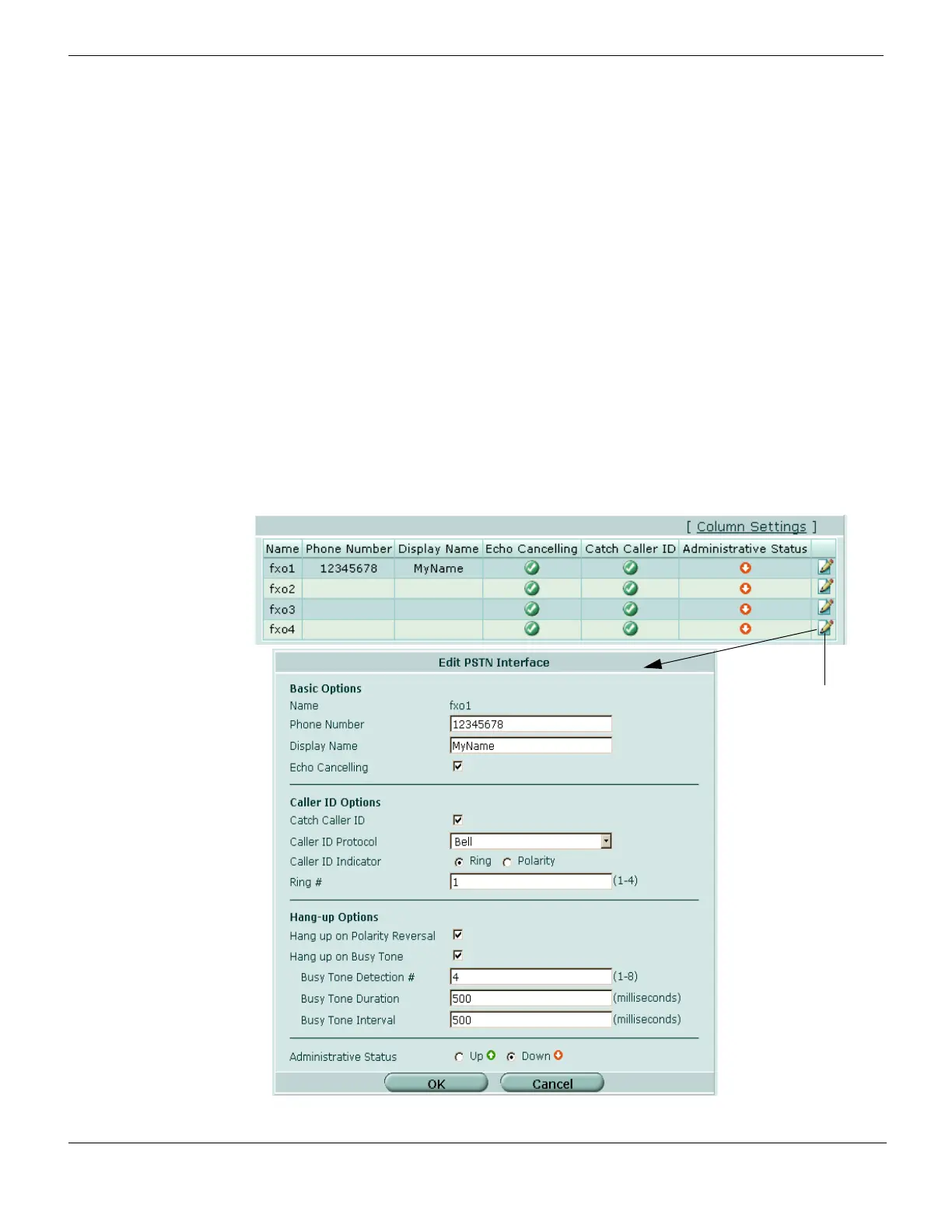
Configuring PSTN interfaces
There are four default PSTN interfaces to use for your PBX configuration. These
interfaces are specific for PBX configurations.
To configure a PSTN interface, go to System > Network > PSTN Interface, configure
settings for the FXO interface and then select OK.
Figure 5: Configuring PSTN interfaces



 To Next Page