FortiGate Voice web-based manager configuration reference PBX configuration
FortiGate Voice Version 4.0 Administration Guide
01-400-112851-20100127 33
http://docs.fortinet.com/ • Feedback
Configuring direct inward dialing
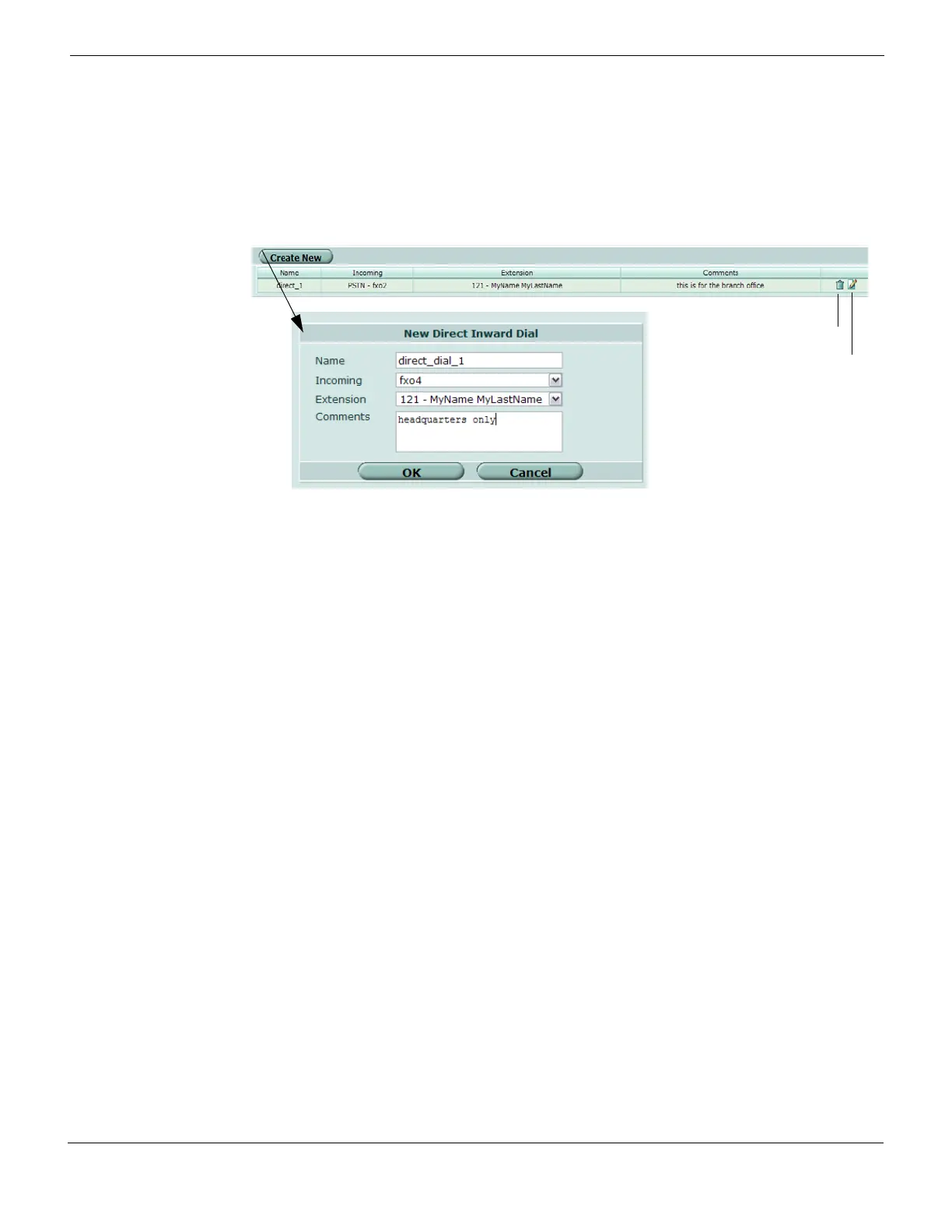
You can configure direct inward dialing (DID) for calls.
To configure direct inward dialing, go to PBX > Call > Direct Inward Dial, enter the
information, and then select OK.
Figure 8: Direct inward dialing
Configuring voice menu options
You can edit the different menu items that each caller hears when they are trying to reach
the number that they have dialed. There are ten voice menu options, from 0 to 9, with
each number representing the number key on a phone’s keypad.
To configure voice menu options
1 Go to PBX > Call > Voice Menu.
2 In the row of the key that you want to configure voice menu options for, select the Edit
icon.
3 In the Action drop-down list, select one of the following:
General direct inward dialing settings
Name The name of the direct inward dialing configuration.
Incoming The incoming calls that will flow through the PSTN interface.
Extension The extension that will be used.
Comments A description about the direct inward dial configuration.
Delete icon Select to delete a direct inward dialing configuration.
Edit icon Select to change a direct inward dialing configuration’s settings.
Direct inward dialing configuration settings
Name Enter a name for the direct inward dialing configuration.
Incoming Select a PSTN interface or VoIP provider from the drop-down list.
Extension Select an extension from the drop-down list.
Comments Enter a description, if applicable, for the direct inward dialing configuration.
None No action will be taken when a caller presses the number on the
keypad.
Ring Group An extension group that is to be used for that number.



 To Next Page