w
w
w
w
w
w
.
.
f
f
o
o
s
s
c
c
a
a
m
m
.
.
c
c
o
o
m
m
11
S
S
h
h
e
e
n
n
z
z
h
h
e
e
n
n
F
F
o
o
s
s
c
c
a
a
m
m
I
I
n
n
t
t
e
e
l
l
l
l
i
i
g
g
e
e
n
n
t
t
T
T
e
e
c
c
h
h
n
n
o
o
l
l
o
o
g
g
y
y
C
C
o
o
.
.
,
,
L
L
i
i
m
m
i
i
t
t
e
e
d
d
T
T
e
e
l
l
:
:
8
8
6
6
7
7
5
5
5
5
2
2
6
6
7
7
4
4
5
5
6
6
6
6
8
8
F
F
a
a
x
x
:
:
8
8
6
6
7
7
5
5
5
5
2
2
6
6
7
7
4
4
5
5
1
1
6
6
8
8
11
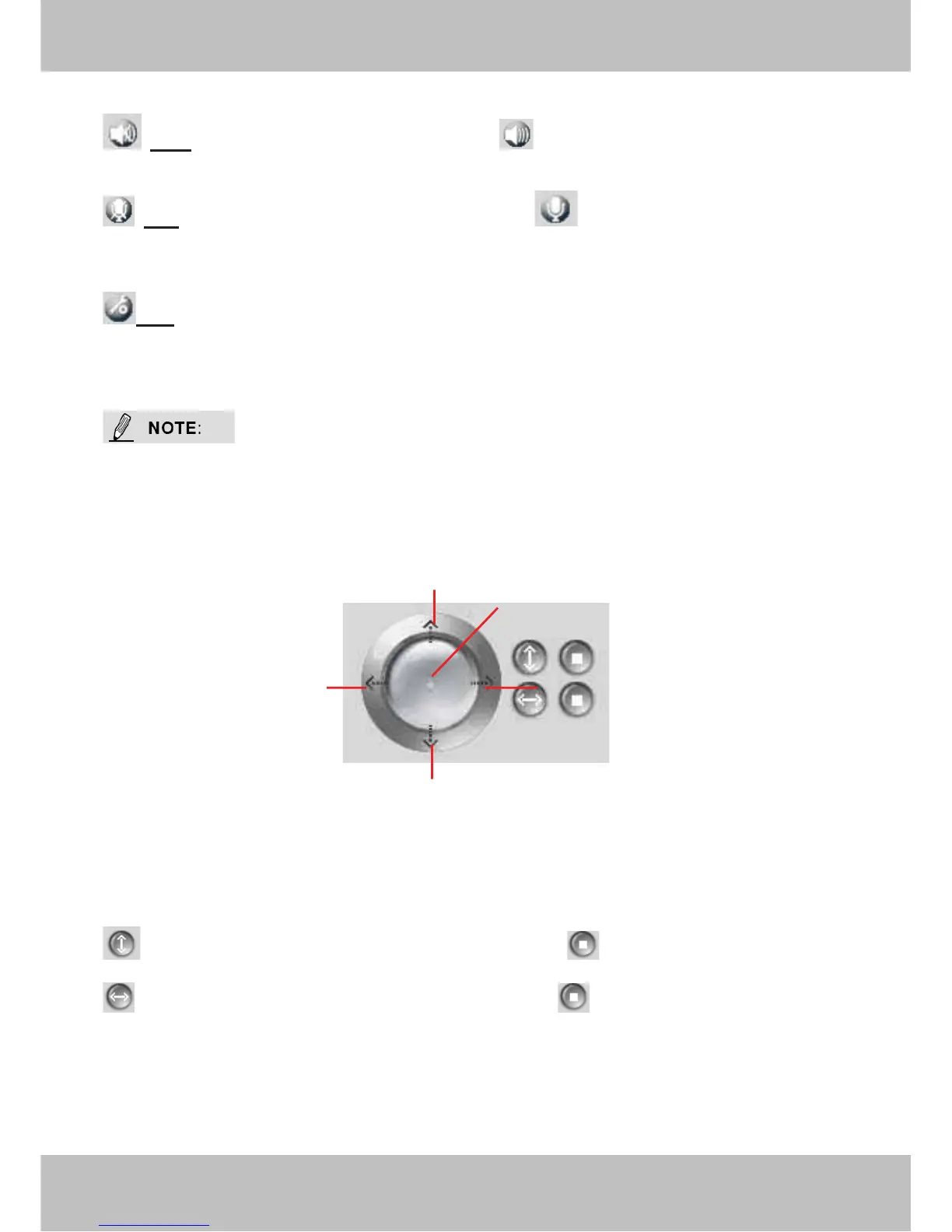
Figure 2.6
Mute Click this icon, the icon will become to you can hear the sound around the
camera by the earphone or speakers that connected with PC.
Talk: Click the button and the icon will become to , then talk to the microphone that
connected with PC, people around the camera can here your voice. Click the icon again and stop
talking.
Path: Setting the storage path of snapshot photos and recording files. The default path is D
disk.
These settings buttons are controlled by the ActiveX, so Firefox, Google Chrome and Safari will
not allow these functions.
Section3 Pan/Tilt Control
1------Up control button,
2------Down control button,
3------Left control button,
4------Right control button,
5------Go to center
: Click this icon; camera will rotate up and down. Click to stop.
: Click this icon; camera will rotate left and right. Click to stop.
1
3
4
2
5



 To Next Page