w
w
w
w
w
w
.
.
f
f
o
o
s
s
c
c
a
a
m
m
.
.
c
c
o
o
m
m
15
S
S
h
h
e
e
n
n
z
z
h
h
e
e
n
n
F
F
o
o
s
s
c
c
a
a
m
m
I
I
n
n
t
t
e
e
l
l
l
l
i
i
g
g
e
e
n
n
t
t
T
T
e
e
c
c
h
h
n
n
o
o
l
l
o
o
g
g
y
y
C
C
o
o
.
.
,
,
L
L
i
i
m
m
i
i
t
t
e
e
d
d
T
T
e
e
l
l
:
:
8
8
6
6
7
7
5
5
5
5
2
2
6
6
7
7
4
4
5
5
6
6
6
6
8
8
F
F
a
a
x
x
:
:
8
8
6
6
7
7
5
5
5
5
2
2
6
6
7
7
4
4
5
5
1
1
6
6
8
8
15
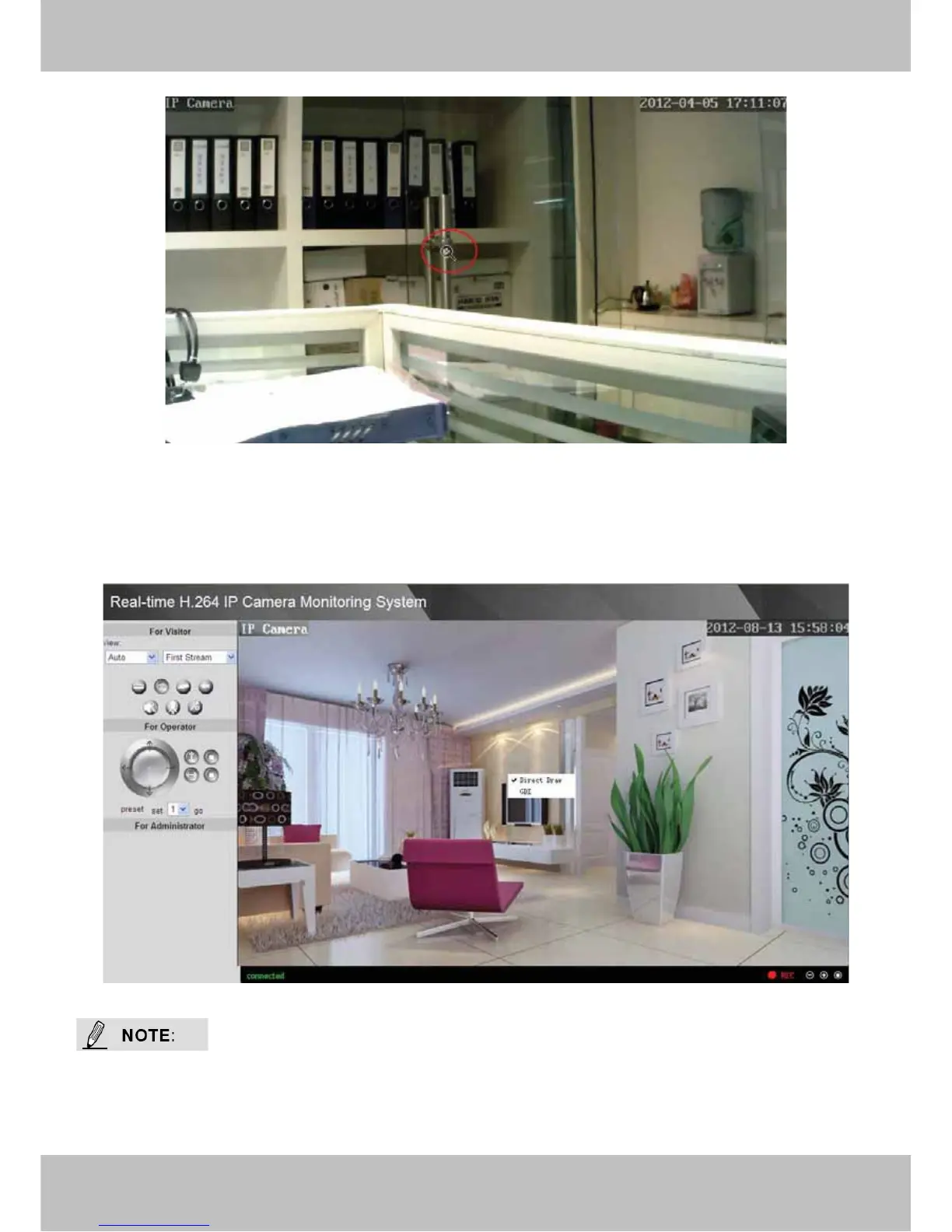
Figure 2.10
Right click on the screen, you can see two graphic display modes: Direct Draw and GDI. The
default mode is Direct Draw, and almost graphic card support this mode. But some old graphic
card cannot display normally under Direct Draw, you can select GDI to try again.
Figure 2.11
Under GDI mode, you cannot see the motion detect region lines when set motion detection.(For
more details: read chapter 3.10 Motion Detection)



 To Next Page