The analyser is supplied with software to support all the necessary functions and
features to operate the system on a daily basis.
At start-up of the instrument you will see the screen shown in Fig. 12.
Fig. 12 Start-up screen
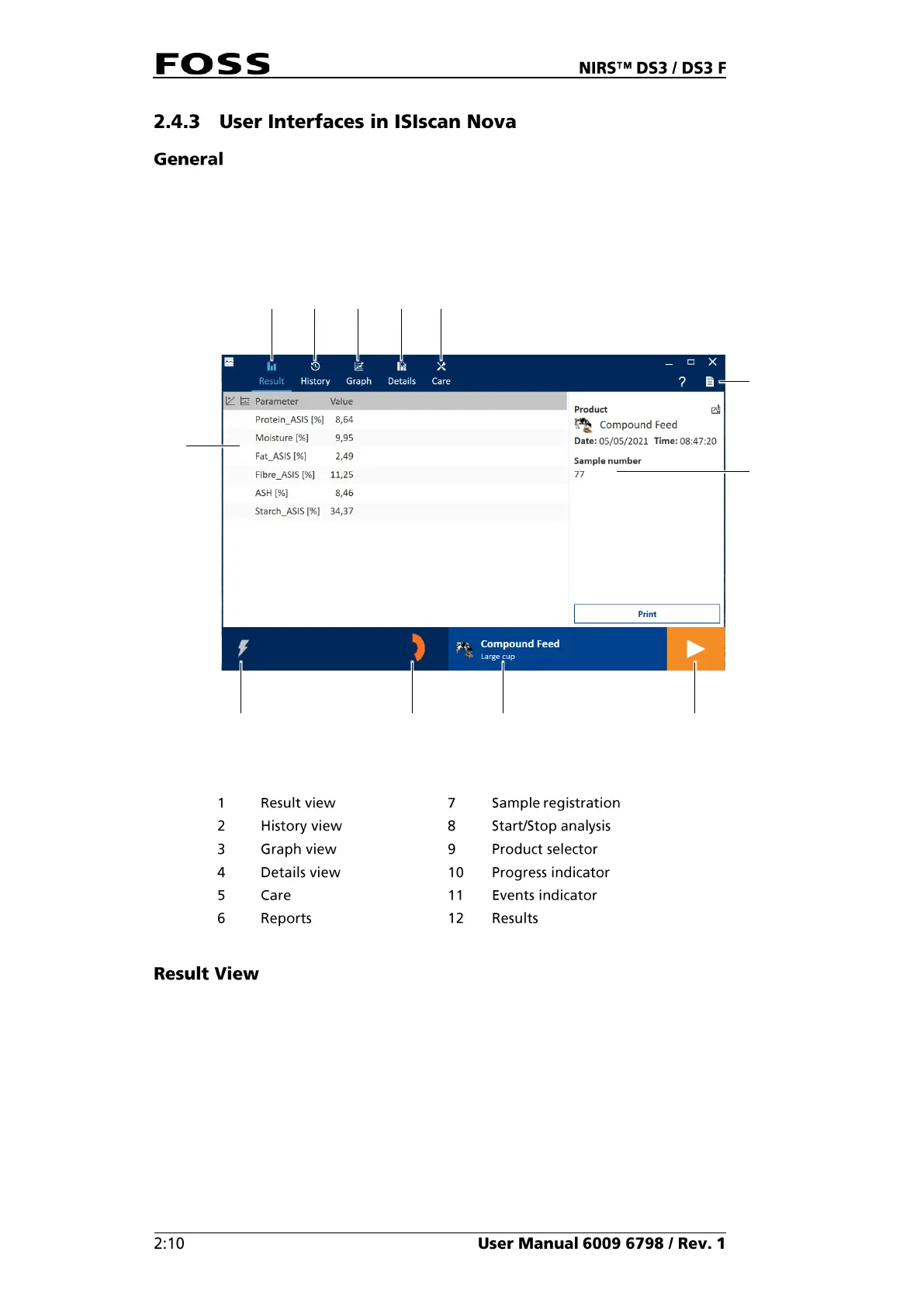
The Result view (Fig. 13) is the view normally used during routine analysis. The
view shows the information about the last sample analysed. The information
presented on the screen depends on the setup made in FossManager.



 To Next Page
 Loading...