1. Choose the appropriate cup for the sample. Carefully prepare your sample and
fill the sample cup completely. Sample types that tend to form voids if simply
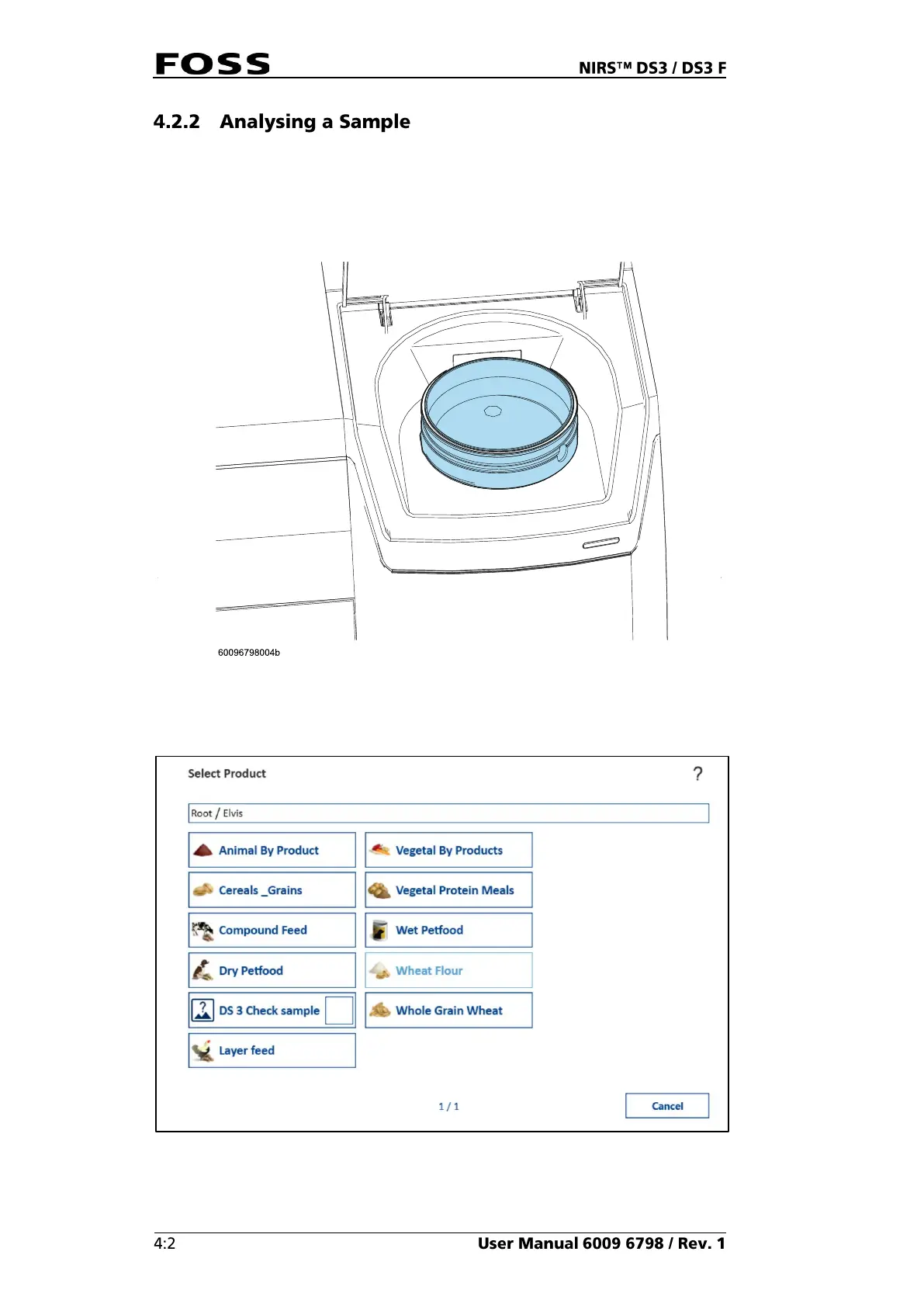
poured in should be compressed using the back of a spoon.
2. Place the filled sample cup in the sample compartment and close the lid.
Fig. 27
3. Click the Product icon and select the product you would like to analyse.
Fig. 28
Products are installed and configured in FossManager (please refer to the
Installation Manual for details).



 To Next Page
 Loading...