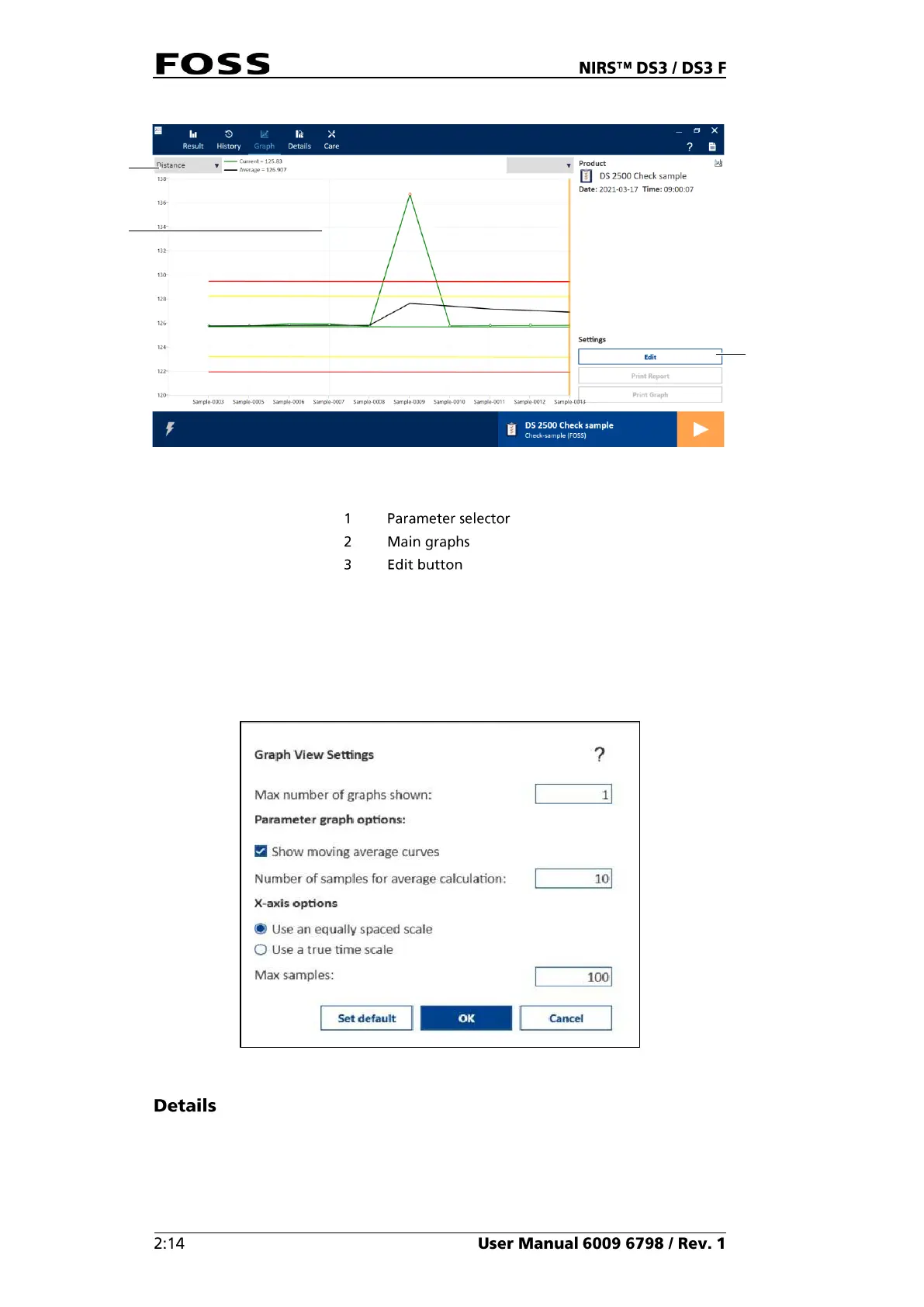
Fig. 21 Graph view
The two drop down lists above the displayed graph allow you to select the
parameter or parameters to be displayed.
The Edit button in the lower right corner allows you to change the format of the
graphs.
Fig. 22 Graph View Settings
In the Details view (Fig. 23) extended information is obtained for a specific
sample. It consists of five tabs.



 To Next Page
 Loading...