EasyManua.ls Logo

Fostex FD-8 - Page 18

Fostex FD-8
28 pages
Print Icon
To Next Page IconTo Next Page
To Previous Page IconTo Previous Page
Loading...
FQStQX
Auto
Punch
In/Out
Take
When
you
are
ready,
proceed
with
a
take.
The
basic
operation
is
almost
the
same
as
for
rehearsal,
except
that
the
part
between
the
auto
punch
in
and
out
points
will
enter
the
record
mode
during
an
actual
take.
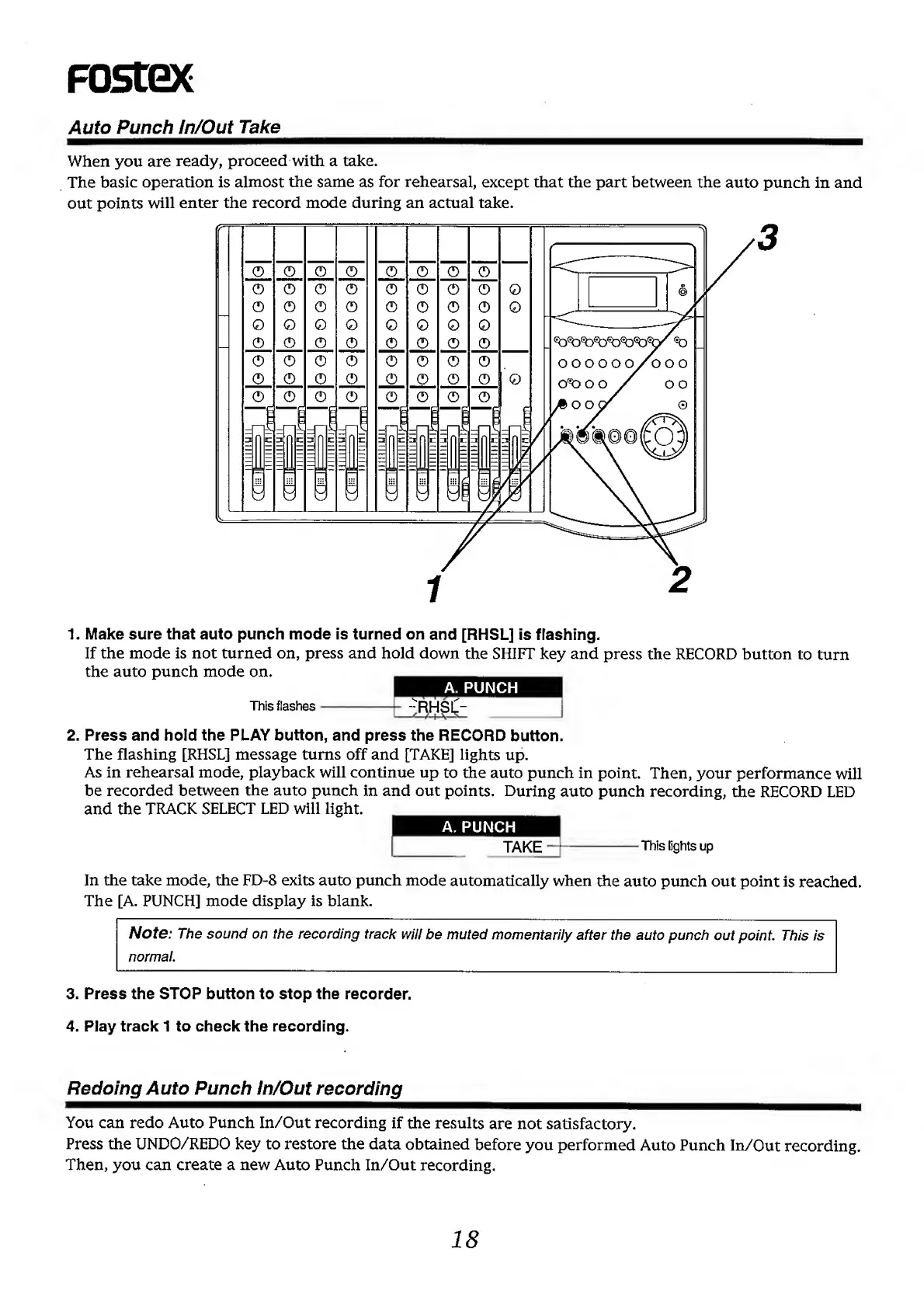
1.
M
ake
sure
that
auto
punch
mode
is
turned
on
and
[RHSL]
is
flashing.
If
the
mode
is
not
turned
on,
press
and
hold
down
the
SHIFT
key
and
press
the
RECORD
button
to
turn
the
auto
punch
mode
on.
A.
PUNCH
This
flashes-
-
R
HSlI-
-^
/
I
\
V
-
2.
P
ress
and
hold
the
PLAY
button,
and
press
the
RECORD
button.
The
flashing
[RHSL]
message
turns
off
and
[TAKE]
lights
up.
As
in
rehearsal
mode,
playback
will
continue
up
to
the
auto
punch
in
point.
Then,
your
performance
will
be
recorded
between
the
auto
punch
in
and
out
points.
During
auto
punch
recording,
the
RECORD
LED
and
the
TRACK
SELECT
LED
will
light.
A.
PUNCH
TAKE
—1
-
T
his
lights
up
In
the
take
mode,
the
FD-8
exits
auto
punch
mode
automatically
when
the
auto
punch
out
point
is
reached.
The
[A.
PUNCH]
mode
display
is
blank.
Note:
The
sound
on
the
recording
track
will
be
muted
momentarily
after
the
auto
punch
out
point.
This
is
normal.
3.
Press
the
STOP
button
to
stop
the
recorder.
4.
Play
track
1
to
check
the
recording.
Redoing
Auto
Punch
In/Out
recording
You
can
redo
Auto
Punch
In/Out
recording
if
the
results
are
not
satisfactory.
Press
the
UNDO/REDO
key
to
restore
the
data
obtained
before
you
performed
Auto
Punch
In/Out
recording.
Then,
you
can
create
a
new
Auto
Punch
In/Out
recording.
18

Other manuals for Fostex FD-8

Related product manuals