10
T1000 TPMS Service Tool Manual_English_V1.01
4 TPMS
The T1000 is designed to activate and program all know TPM sensors and decode data
including sensor ID,tire pressure, temperature, battery condition, and OE part number, and to
warn of a wrong sensor installed, missing or faulty sensor, duplicate ID, and incorrect sensor
mode.
To test the TPM sensors:
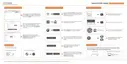
1. Highlight TPMS from the Main Menu and press the YES key to start.
Figure 4-1 Sample Application Menu
2. On each screen that appears, select the correct option and then press the YES key. Do this
until the complete vehicle information is entered.
Figure 4-2 Sample Vehicle Selection Menu
NOTE
The selected vehicle is remembered by the tool when a test is started. It is very convenient for
workshops to trigger TPM sensors of the same vehicle.
4.1 TPMS Sensor Activate
TPMS Sensor Activate has two method of testing:
● All wheel mode
● Single wheel mode
You may get access to vehicle mode selection by Setting>Tire Test>All/Single. Please refer to the



 To Next Page
 Loading...