30
T1000 TPMS Service Tool Manual_English_V1.01
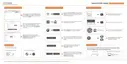
Figure 7-14 Sample Tire Test Mode Setup Screen
2. Press the UP/DOWN arrow key select an item and press the YES key to save and return.
Figure 7-15 Sample Tire Test Mode Selection Screen
8 About
Selecting Tool Information option opens a screen that shows information about your TPMS
Service Tool, such as serial number, which may be required when contacting customer service.
To view information of your TPMS Service Tool
1. Scroll with the UP/DOWN arrow keys to highlight About of the main menu and press the YES
key.
Figure 8-1 Sample Main Menu
2.A screen with detailed information of the TPMS Service Tool displays.



 To Next Page
 Loading...