14
T1000 TPMS Service Tool Manual_English_V1.01
figures here below for details.
Figure 4-3 Sample Mode Selection Screen
Figure 4-4 Sample All /Single Selection Screen
4.1.1 Activation in All Wheel Mode
The all wheel mode provides a vehicle icon on the screen to give user prompts for each wheel. In
this mode, each TPM has wheel locations of LF (Left Front), RF (Right Front), RR (Right Rear),
LR (Left Rear) and spare (if the car has a spare tire).
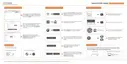
1. In all wheel mode, the solid spot flashes at the wheel to be tested. Depending on the sensor
type, place the tool to the correct position to insure sensor activation and decode. Below is a
chart illustrating how to correctly place the tool.



 To Next Page
 Loading...