26
T1000 TPMS Service Tool Manual_English_V1.01
7.3 Beeper Set
Selecting Beep Set opens a dialog box that allows you to turn on/off the beeper.
To turn on/off the beeper
1.Scroll with the UP/DOWN arrow keys to highlight Beep Set from Setup menu and press the YES
key.
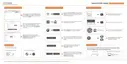
Figure 7-4 Sample Beep Setup Screen
2.Press the UP/DOWN arrow key select an item and press the YES key to save and return.
Figure 7-5 Sample Beeper On/Off Selection Screen
7.4 Automatic Power-off Interval
Selecting Auto Power-off opens a dialog box that allows you to set automatic power-off interval of
the trigger tool to save battery life. Auto power off is not operational when charging. The
maximum interval is 20 minutes and the minimal is 1 minute.
To change auto power off interval:
1. Use the UP/DOWN arrow key to select Auto Power-Off from Setup screen and press the
YES key to confirm.



 To Next Page
 Loading...