16
T1000 TPMS Service Tool Manual_English_V1.01
Table 4-2
NOTE
Operator can press the NO key to abort the sensor activation and return to previous menu at any
time.
4.1.2 Activation in Single Wheel Mode
This section illustrates how to test TPM sensor in one wheel mode. In this mode, TPM data is
displayed and stored immediately.
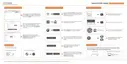
1. In single wheel mode, the screen displays as below when the TPM sensor is selected.
Figure 4-6 Sample Single Wheel Test Screen
2. Refer to Table 4-1 in page 15 to correctly place the trigger tool and press the Test key.
3. The tool moves to next wheel to be tested automatically or manually select a wheel to
test using UP/DOWN arrow keys. Repeat the steps to complete test of all wheels.
4. Press YES key to review test results.
TPMS sensor was successfully activated and
decoded. The T1000 emits a series of tones
and displays pressure at wheel location.
The search period expires without reading a
TPM. The T1000 emits a single audible beep
and displays “No sensor detected.” Repeat the
test process to verify.
A sensor with a duplicate ID has been read.
The T1000 emits three audible beep and
displays “Sensor ID duplicate.” Clear data and
re-read sensors.



 To Next Page
 Loading...