23
T1000 TPMS Service Tool Manual_English_V1.01
3. Press the NO key to exit.
6 Latest Test
Latest Test leads to screens for activating the sensor by using the same wave signal of the latest
trigger event. The tool remembers the latest tested vehicle and makes it much easier to trigger
sensors of the same vehicle.
To test the TPM sensors:
1. Scroll with the UP/DOWN arrow keys to highlight Latest Test from the Main Menu and press
the YES key to start
.
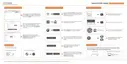
Figure 6-1 Sample Latest Test Screen
2. Scroll with the UP/DOWN arrow keys to highlight TPMS Sensor Activate and press
the YES key to start. A message asking if the old recording to be cleared displays.
Figure 6-2 Sample TPMS Sensor Activate Screen



 To Next Page
 Loading...