28
T1000 TPMS Service Tool Manual_English_V1.01
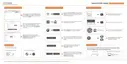
Figure 7-9 Sample ID Format Selection Screen
7.6 Pressure Unit
Selecting Pressure Unit opens a screen that allows you to set the pressure unit in kPa, PSI or bar.
To configure pressure unit
1. Scroll with the UP/DOWN arrow keys to highlight Pressure Unit from Setup menu and press
the YES key.
Figure 7-10 Sample Pressure Unit Setup Screen
2. Press the UP/DOWN arrow key select an item and press the YES key to save and return.
Figure 7-11 Sample Pressure Unit Selection Screen



 To Next Page